
AI for Teams · 10 min read
Before your team starts using AI
By Hank BarkerPublished
Connect AI to a business outcome, build a usable policy, train people on their work, and review a pilot before expanding.
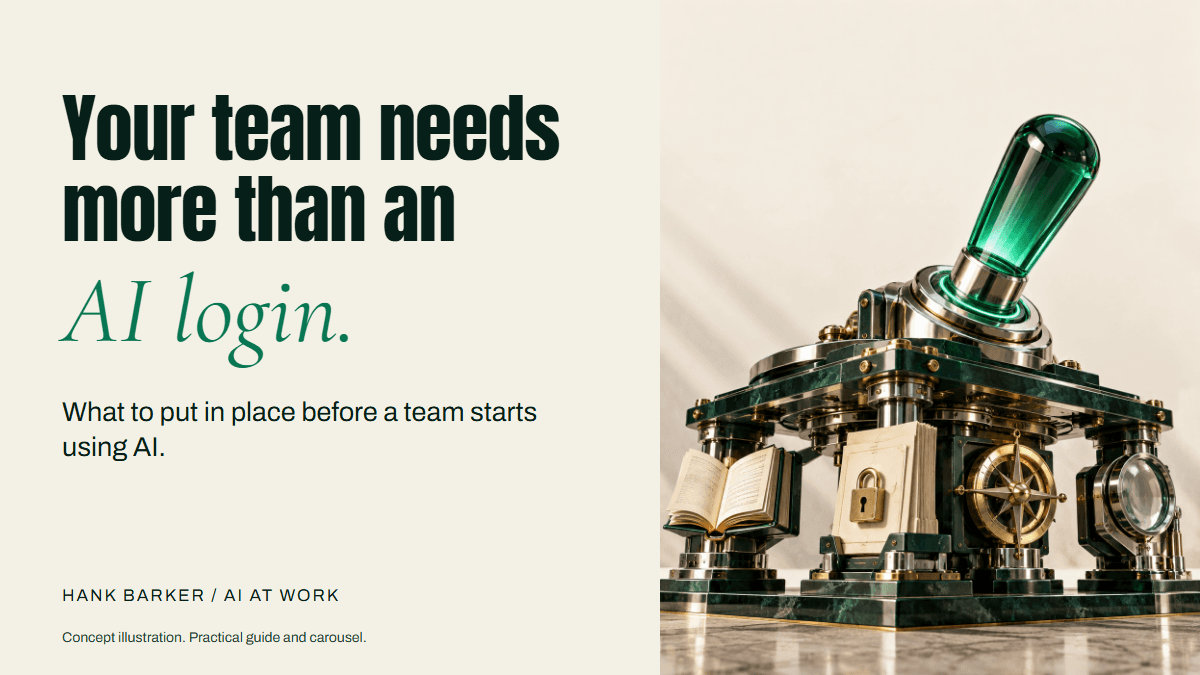
Connect the business goal, usage policy, training, and review process before the rollout grows.
By Hank Barker. Prepared October 6, 2026.
If you're bringing AI into a team, people need to understand what you're trying to improve and how they're expected to use the tools. Buying accounts is one part of that. The more useful work is deciding where AI fits, teaching people how to use it in that situation, and making sure someone can check whether it's helping.
From my perspective as a trainer, the must-haves are an outcome tied to the business, a usage policy people can follow, practical training, and clear expectations for the work. Then you need an owner, a way to review quality, and a record of what changed. Those pieces give a team something they can use and improve together.
The examples in this guide describe a fictional service team. Any targets or timings are planning examples, not measured outcomes or promises. The policy worksheet is a starting point for your organization to review, rather than a finished legal policy.
Start with the business result
Ask what your team is already trying to achieve. That might be answering customer questions accurately, preparing proposals sooner, or making fewer mistakes when information moves between systems. Choose a result that the people doing the work recognize.
Then identify the part of the process AI could help with. “Get everyone using AI” tells you whether people opened a tool. It tells you very little about whether the work improved. A useful goal connects the tool to a result someone is responsible for delivering.
For our fictional service team, the goal is to help customers get an accurate answer without unnecessary waiting. The proposed AI task is preparing a first draft from an approved FAQ. The reviewer still checks the answer and sends it. That keeps the relationship between the business outcome, the AI task, and the human responsibility visible.
Write the connection in ordinary language:
We want customers to receive accurate answers sooner.
AI will help prepare replies from the approved FAQ.
The service coordinator will check facts and send each reply.
We will compare total handling time, factual errors, and rework.
The pilot succeeds only if quality holds while the work improves.
Now collect a baseline. Look at a representative sample of recent work before changing the process. Record how long the whole job takes, including checking and corrections, and the common problems people encounter. A fast AI draft is not the same as a faster completed task.
Keep the sample conditions visible. Busy periods, different kinds of requests, and staff experience can affect the result. An early pilot gives you evidence for that situation. It does not prove that the same result will happen across the organization.
Decide which work is suitable for the first pilot
List a few candidate tasks and compare them against the same questions. Can you get approved source material? Can a person check the output? What happens if it is wrong? How often does it happen? Would improving it matter to the team?
| Task | Useful AI contribution | Human responsibility | Start condition |
|---|---|---|---|
| Answer a common service question | Prepare a draft from the FAQ | Check and send the reply | Current FAQ and approved tool |
| Turn internal meeting notes into actions | Extract agreed actions and open questions | Confirm owners and dates | Notes may be used in the tool |
| Prepare a proposal | Organize approved material into a draft | Approve pricing and commitments | Clear source authority and template |
| Make an employment or credit decision | High-impact decision support needs separate assessment | Accountable specialist review | Outside this simple pilot |
Choose a task whose errors are visible and whose outputs can remain drafts during learning. If the source material is inconsistent, fix that first. Giving a model three conflicting price sheets will not make the business's pricing decision for you.
Put a usage policy in place
A general policy can be a useful starting point. It needs enough detail that a person facing a normal work decision knows what to do. “Use AI responsibly” leaves too much interpretation to the employee.
Cover the approved tools and account types, the information people may use, the work that requires review, and where to ask a question. Include the expectations for disclosure, documentation, and mistakes. Have the relevant owner check the policy against the tools, contracts, and obligations that apply to your organization.
An approved tool does not automatically make every use of that tool appropriate. A team member could use the right account and still upload records outside the permitted scope. Make the allowed use easy to understand.
Use this worksheet to draft the decisions, then turn the completed version into a policy your team can follow:
Approved tools and account types:
Who can approve another tool:
Work we expect AI to help with:
Information we may use in each tool:
Information we must redact or keep out:
Actions that require human review:
Who owns the final work:
When we tell a customer or colleague about AI's involvement:
Where instructions and examples are stored:
How to report a mistake or unexpected disclosure:
Who can pause the process and how:
Policy owner, version, and review date:
For the service-team example, the draft policy could permit selected customer questions in a company-approved account while excluding payment details and unrelated personal history. Replies remain drafts until the coordinator checks them. An uncertain policy exception goes to the owner. Those are illustrative decisions. Your team must supply its own approved boundaries.
Check information access and permissions
Before connecting an app, identify which information the tool can see and what it can change. Check the actual permission settings. A prompt that says “only use this folder” does not necessarily limit a connection that has broader technical access.
For each task, write down the minimum information needed. Our FAQ reply pilot needs the customer's question and the current FAQ. It does not need the entire customer database just because that database is available.
| Information | Needed for the task? | Decision to record |
|---|---|---|
| Current FAQ | Yes | Approved authoritative source |
| Selected customer question | Yes | Check identifiers and account rules |
| Card numbers or passwords | No | Keep out of the task |
| Other customers' records | No | Do not include |
| Old policy documents | Sometimes | Archive or label as superseded |
Also check who can access outputs, how long information is retained, and what happens when a staff member leaves. Those answers belong in the operating record. Organization-managed tools can have different controls from personal accounts. Review the current vendor terms and settings for the exact service and account you choose.
Train people on the work they will do
Training needs to cover more than finding the chat box. Give people a task they recognize, approved sample material, an example of a useful result, and a chance to correct a weak result themselves.
For the service team, walk through one customer question. Show how to provide the approved FAQ, explain the desired answer, inspect the draft against the source, and correct an unsupported promise. Then let participants try another question with different wording or missing information.
The learning goal is that a person can do the task and explain the review decision. Someone who can produce a pleasant draft but cannot spot a made-up refund condition still needs practice.
A practical training session can cover:
- Explaining the task, audience, and source material.
- Saying what good looks like in the output.
- Checking facts, numbers, and missing information.
- Giving specific feedback and reviewing the revision.
- Recognizing when the tool should stop or ask a person.
- Saving the reviewed instructions for next time.
Use a fictional or sanitized practice case. If staff cannot finish the case without help, find the part they do not understand and teach it again. Attendance alone does not show that a person is ready to use the process independently.
After training, leave a useful route for questions. A named owner, short help session, or shared list of approved examples makes it easier for people to raise problems before a workaround becomes routine.
Make expected use specific
People need to know whether using AI is optional, encouraged, or required for the selected task. They also need to know what good judgment looks like. Give that expectation before you evaluate adoption.
For example: “Use the approved tool to prepare a first draft for questions covered by the FAQ. Check the draft against the source before sending. If the question is outside the FAQ, send it to the service owner.” That is more useful than asking people to find ways to use AI whenever possible.
Protect the ability to stop. A team member should be able to say that a draft is wrong, a connection is unavailable, or the task needs a person. If the only signal you collect is tool usage, staff may feel pressure to use it in situations where it adds work.
Tell people what to document. For this pilot, keep the source version, draft, correction reason, review time, and final outcome. Do not collect unnecessary private content just to prove someone used the tool.
Name an owner and a reviewer
The owner is responsible for whether the process should continue and how it changes. The reviewer checks the work before someone relies on it. The same person can do both in a small team, but the responsibilities still need names.
The owner keeps instructions current, handles exceptions, and checks the results over time. The reviewer verifies the facts, tone, commitments, and destination. Decide who covers these roles when the usual person is away.
Write a stop rule before the pilot. In our example, an invented price, unauthorized promise, or unexpected disclosure stops the affected work for owner review. A blocked connection also stops the task from claiming it has checked material it cannot access.
Save the earlier approved instructions before making changes. If the new version performs poorly, you need to know which version to restore and which outputs need checking. Reverting instructions does not undo a message already sent.
Test the process and measure the whole job
Begin with representative examples that include normal requests and awkward ones. Include a missing fact, a conflicting source, and a question outside the allowed scope. A tool that writes a convincing answer to everything is not meeting the expectation to stop when the answer is unknown.
For low-impact drafting, five consecutive acceptable runs using fixed instructions are a practical starting checkpoint. The number is my recommendation for a manageable initial check, not an industry certification. Higher-impact work needs testing and review suited to the possible harm.
Measure total time from input to approved output. Include checking, correcting, recording, and sending. Track quality alongside time so speed does not hide errors.
| Measure | What it helps you understand |
|---|---|
| Total handling time | Whether the completed job got easier |
| Unsupported facts or promises | Whether the output is usable |
| Corrections and review time | Whether work moved to the reviewer |
| Questions escalated correctly | Whether the boundaries are working |
| Staff ability to explain a check | Whether training prepared people |
| Tool and operating cost | Whether the benefit justifies the expense |
Decide the acceptance criteria before reviewing the pilot. For a fictional pilot, you might require no unsupported commitments in the test set and less total handling time without increasing corrections. Do not silently lower the quality standard to make the rollout appear successful.
Give the rollout room to develop
You do not need to teach every possible use in one day. A manageable sequence is to map the task, agree on the policy and sources, train the first users, run supervised trials, and review the evidence together. Put those stages on a calendar that fits the team's workload.
Every few days, return to one part of the work. Try a new kind of input, inspect a recurring error, or practice explaining the output standard. Those sessions should answer something useful. Avoid asking people to spend more time with the tool simply to raise usage.
Expand when you understand why the current task works and where it still struggles. A new department, data source, permission, or customer-facing action changes the process and deserves another review. Keep the original business goal visible as the rollout grows.
Files you can use
- Team rollout and policy worksheet
- Workflow instructions and operating record
- Five-run test log
- The carousel
- Watch the animated carousel
Sources and scope
This is Hank's training approach. The NIST AI Risk Management Framework is a separate voluntary framework for managing AI risk. Its focus on governance, context, measurement, and management supports the need for accountable review, but it does not prescribe this exact worksheet or the five-run checkpoint. Product controls and organizational obligations need checking for the tools and situation you choose.
Keep a copy of the guide
Download the PDF to keep the steps and prompts handy while you work.
Put this to work with your team
I’m Hank Barker, founder of PriorAIty. I help Michigan teams build useful AI habits through hands-on training and adoption consulting, with in-person and virtual options.
Keep going
- Give your AI helper a job
Four useful assignments for Dots and Muse, with setup references, source rules, approval limits, and a reusable review record.
- Teach AI its part of your workflow
Map the process, define the AI role and output standard, then use varied tests, specific corrections, and a saved operating record.
- Use ChatGPT, Claude or Copilot inside Excel
Open a copy of a workbook, ask the AI to explain its structure, then give it one specific change. Once you can check that change, move on to a summary, PivotTable or chart. This guide covers the three setup routes and gives you a small workbook with answers you can verify yourself.
Weekly AI guide
The Weekly AI Guide
One genuinely useful AI use case a week, whatever news matters, and what I've got coming up: free sessions, new guides, upcoming trainings.