
AI Agents · 10 min read
Give your AI helper a job
By Hank BarkerPublished
Four useful assignments for Dots and Muse, with setup references, source rules, approval limits, and a reusable review record.
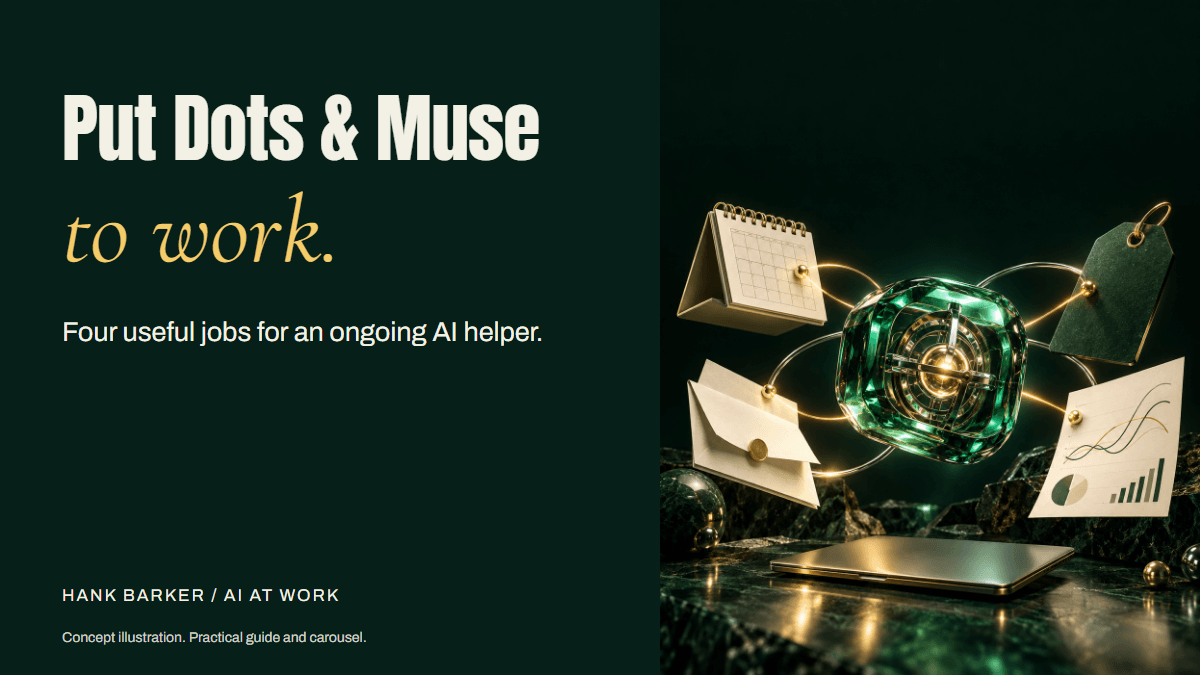
Dots, Muse, and four useful responsibilities you can teach an always-on agent.
By Hank Barker. Product information checked October 6, 2026.
An AI helper becomes much more useful when it knows what you want it to keep track of, what a useful result looks like, and when it needs to come back to you. That could mean checking the details before tomorrow's client meeting, watching a few suppliers for changes, or preparing a reply when a customer asks a question you've answered before.
Start by naming the responsibility. Then give the helper enough information to do it, a place to put the result, and clear limits on what it can change. This guide walks through that setup and gives you four assignments you can adapt to your own work.
The task examples are fictional training examples. They have not been run as Dots or Muse demonstrations. The screenshots below are authentic captures of official documentation and the public Muse site, rather than completed account tasks. Your available apps, permissions, and product access determine which examples you can try.
Understand what you are setting up
A dot is OpenAI's ongoing agent in ChatGPT. Muse is Meta's personal agent. Both are designed to continue work between conversations, with their own cloud computer and supported app connections. You still decide what the agent should do and review consequential work. See OpenAI's introduction and Meta's introduction.
There are two useful ways to think about ongoing work. One is a scheduled check you explicitly request, such as looking for a supplier price change each weekday. The other is the agent's own background activity. OpenAI documents dot proactive research as read-only. That restriction is distinct from an authorized task that continues in the background. Do not assume every background job has the same permissions. See the dot safety FAQ.
You also need a task that benefits from being revisited. If you only need one paragraph rewritten, a normal chat may be enough. An ongoing helper starts to make sense when the inputs change or the responsibility keeps coming back.
Check access before planning the job
As checked October 6, dots are rolling out to eligible ChatGPT Pro and Business Premium accounts. Pro availability excludes the EEA, Switzerland, and UK. Enterprise access, including Edu and Healthcare, depends on an admin enabling the beta. Rollout is gradual. Create the dot on desktop web or in the desktop app. Check the current setup instructions if the option is missing.
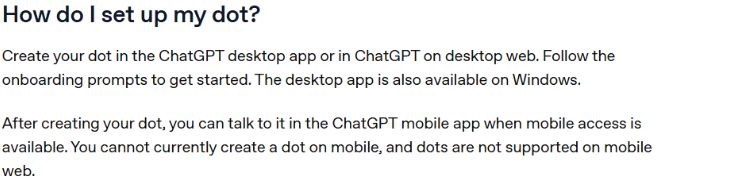
This is a documentation capture, not a screenshot of a dot being created in this account.
For Muse, start at muse.ai. Meta's September 29 announcement describes availability in the US and Canada and business connections including Instagram professional account analytics. Check the current product and your account before building a task around a particular connection. Read the business announcement.
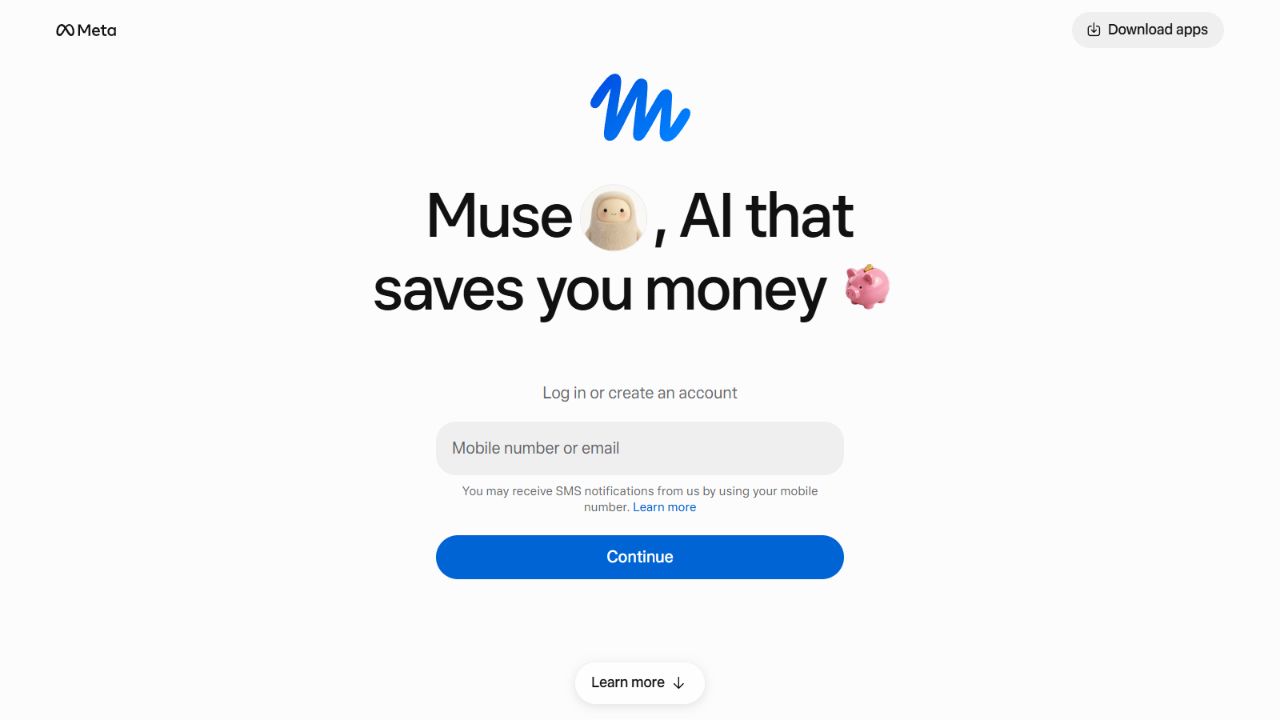
Public Muse website captured October 6. This shows the entry point, not a signed-in workflow.
Once you have access, choose one responsibility to teach first. Connect only the information needed for that responsibility. A prompt asking the agent to ignore an app is useful guidance, but it does not remove the app's technical permission to read it. Check the connection settings too.
Write an assignment you can check
Think about how you would explain a job to a colleague. They need the goal, the material to use, the result to deliver, and the decisions they can make. They also need to know when to stop because something is missing.
Use this as your starting instruction. Replace every bracketed item before you schedule anything.
Help me with [specific responsibility].

The result I want is [useful result for a person].
Use only [approved files, pages, accounts, or sites].
Treat [named source] as the authority for [specific facts].
Check [schedule, time zone, or triggering event].
Return [format] to [destination]. Include source links and dates.

You may read and prepare drafts. Ask before sending, publishing,
spending, changing a record, or sharing information with anyone.
If a source is missing, conflicting, or inaccessible, say so.
Never fill a missing fact with a guess.
Notify me when [specific change] happens. Otherwise stay quiet.
Stop if [condition]. Confirm your understanding before the first run.
That last line is useful. If the helper describes a wider job than you intended, correct it before connecting more information or setting a recurring schedule. Save the corrected assignment somewhere your team can find it. Memory can help carry context, but your reviewed instructions should remain available as a separate document.
Job 1: Help me get ready for a client meeting
You have a call tomorrow and want the relevant details in one place. The helper can prepare a short meeting note from an approved calendar event and selected client records, where those connections are supported.
Give it the meeting time, the participants, the records it may read, and what you want to know before the call. Keep unrelated inbox history out of the assignment. Ask for dates beside the source material so an old promise does not look current.
At 4 pm America/New_York each workday, check my approved calendar
for tomorrow's client calls. For each call, use the event details
and the selected client folder to prepare a meeting note.

Include the call's purpose, commitments already made, unresolved
questions, and three questions I could ask. Link each factual item
to its source. Mark anything you cannot verify as unknown.
Place the note in the designated drafts folder. Do not change the
calendar or send the note to anyone. Notify me only if a call lacks
the information needed to prepare. Run once for review first.
A useful result is short enough to read before the call and accurate enough that you can trace every commitment. The helper should distinguish something the client said from its own suggested question. If a connection cannot read the chosen folder, provide approved files manually and run the task on demand until that access problem is resolved.
Job 2: Watch for a supplier change that matters
You keep opening the same supplier pages to check price, availability, or delivery terms. Give the helper a defined list of public pages and tell it which changes deserve your attention.
Check these approved supplier pages at 9 am America/New_York on
weekdays. Track the listed product, price, availability, and delivery
terms. Save the initial observations as a baseline for my review.

After I approve the baseline, compare each check with the last
verified observation. Tell me when a listed price, availability, or
delivery term changes. Include the old value, new value, timestamp,
currency, and source link. Report a blocked page as a failed check.
Do not place an order or contact the supplier. Stay quiet if all
pages were checked and nothing changed. Ask before scheduling.
The distinction between “nothing changed” and “I could not check” matters. A blocked page, unavailable login, or missing product is a coverage problem. A good watcher reports that problem rather than making a reassuring claim from incomplete access. Prices also need context. A price without currency, pack size, or shipping conditions may be a misleading comparison.
Start with a small list. If the helper produces repeated false alerts, improve the comparison rules before adding more pages. Public website access is still subject to site restrictions and product limits.
Job 3: Prepare replies to familiar customer questions
The helper can work from selected customer questions and an approved FAQ to prepare replies. Make the facts it can use explicit, especially prices, refund conditions, and delivery promises.
For the customer questions I supply, prepare draft replies using
only our approved FAQ and current price sheet. Put the draft,
source references, and any unresolved question in the review folder.

Use a friendly, direct tone. Never promise a refund, discount,
delivery date, or policy exception that the sources do not authorize.
If the FAQ does not answer the question, flag it for the owner.
Do not send a reply or update the customer's record. The reviewer
must approve the final wording and destination before it is sent.
A good draft answers the person's question and preserves the facts. It should not sound certain about an exception the business has never agreed to. Compare the first drafts against the original questions and source documents, rather than reviewing only how pleasant the writing sounds.
This can begin as an on-demand task. A recurring version requires a supported way to receive new questions, a clear review destination, and an owner who checks the queue.
Job 4: Help me understand my Instagram results
Muse for Small Business documents Instagram professional account analytics connections. That makes social results a useful Muse-specific example. A dot version would need a supported analytics connection or an approved export. Do not assume the two products connect to the same data.
Using the analytics available from my approved Instagram professional
account connection, review posts published in the last seven days.
State the reporting dates and which metrics you can access.

Compare posts with similar formats and publication ages. Show the
numbers you used, then suggest two follow-up ideas based on the
topics people responded to. Mark missing metrics as unavailable.
Do not claim that a design or hook caused a result from this sample.
Prepare drafts only. Do not publish, change ads, or spend money.
You want an explanation of the available numbers and a few ideas worth reviewing. You do not want an invented analytics dashboard or a confident story about why the algorithm liked a post. A new post and a month-old post have had different amounts of time to collect views. Keep that difference visible.
Set the controls as well as the instructions
For a dot, OpenAI documents Custom Rules for supported actions and a Pause control in the profile. Use those settings alongside your assignment. Check the control instructions.
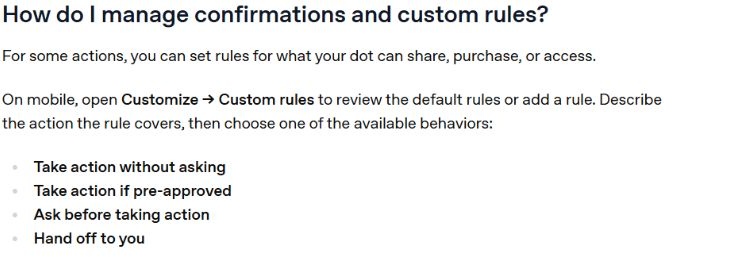
Documentation reference captured October 6. Built-in safety requirements still apply.
For Muse, review permissions and planned actions in the product. Meta documents approval before publishing, sending, or spending in its business announcement. Review the actual destination and content each time you approve a consequential action. A vague “looks good” is a poor instruction if multiple drafts or destinations are on the screen.
Connected data needs thought too. OpenAI says disconnecting a dot's app stops new access but does not erase information already retained in the dot's context. For either product, check current retention and privacy controls before connecting work records. A personal account's defaults may differ from an organization-managed account. The dot privacy FAQ and Muse safety explanation describe their own systems.
Review the first runs and document the job
Run the assignment once on safe inputs, check the sources and the result, and give a specific correction. Then try varied examples. Look for missing facts, misleading comparisons, repeated alerts, unexpected destinations, and attempts to act beyond the job.
For low-impact drafts, five consecutive acceptable runs on representative examples are a useful starting checkpoint. That is my practical recommendation, not a product guarantee or a validated safety threshold. More consequential work needs a larger test set and continued human approval. Retest when the assignment, source documents, model, connections, or permissions change.
Keep a simple record with the responsibility, owner, approved sources, connections, schedule and time zone, expected output, review rules, last test date, and stop procedure. Use the included agent-assignment template to make that record reusable.
If something goes wrong, pause the recurring work, save the relevant output and activity record, check whether anything was sent or changed, and have the owner review the correction. Revoking access prevents future access through that connection. It does not undo an action already taken.
The first useful responsibility is the one you can describe clearly and check yourself. Teach the helper that job, inspect what it brings back, and widen the assignment only when the results justify it.
Files you can use
Sources and scope
Introducing dots supports ongoing work, the cloud computer, and the distinction between proactive research and authorized tasks. Getting started with your dot supports setup, access, scheduling, and controls. The dot privacy FAQ supports connection and retained-context qualifications.
Introducing Muse, Muse for Small Business, and Muse safety support the product descriptions and approval boundaries. The four assignments, review criteria, and templates are Hank's teaching recommendations and fictional examples, not vendor-tested results.
Keep a copy of the guide
Download the PDF to keep the steps and prompts handy while you work.
Put this to work with your team
I’m Hank Barker, founder of PriorAIty. I help Michigan teams build useful AI habits through hands-on training and adoption consulting, with in-person and virtual options.
Keep going
- Before your team starts using AI
Connect AI to a business outcome, build a usable policy, train people on their work, and review a pilot before expanding.
- Teach AI its part of your workflow
Map the process, define the AI role and output standard, then use varied tests, specific corrections, and a saved operating record.
- Use ChatGPT, Claude or Copilot inside Excel
Open a copy of a workbook, ask the AI to explain its structure, then give it one specific change. Once you can check that change, move on to a summary, PivotTable or chart. This guide covers the three setup routes and gives you a small workbook with answers you can verify yourself.
Weekly AI guide
The Weekly AI Guide
One genuinely useful AI use case a week, whatever news matters, and what I've got coming up: free sessions, new guides, upcoming trainings.