
Practical AI · 15 min read
50 AI Skills for Work
By Hank BarkerPublished
What an AI skill is, how to turn one on in ChatGPT, Claude, and Gemini, and 50 skills worth adding for work, from writing and meetings to spreadsheets, hiring, and teaching. Each one was reviewed before it made the list.

What a skill is, how to turn one on in ChatGPT, Claude, and Gemini, and 50 skills worth adding. Every one was reviewed before it made the list.
The short version
- A skill is a saved set of instructions your AI follows any time that kind of task comes up. It is a folder with one text file in it.
- The format is open, so the same skill can work in ChatGPT, Claude, and Gemini. Where you add one is different in each tool, and this guide shows each path.
- Do some due diligence before you add a skill you found online. Look into who built it and who is recommending it. Some skills include code.
- Below are 50 skills for ordinary work: writing, meetings, research, planning, design, spreadsheets, people, customers, teaching, and career. None of them has scripts in its own folder.
What a skill is
A skill is a saved set of instructions. You write down how you like a task done once, and your AI follows it any time that kind of task comes up. You do not have to call it up. The AI reads the short description of each skill you have, and when your request matches one, it loads the instructions and uses them.
Say your AI does a great job building a presentation. Instead of hoping it does that again next time, have it turn that work into a skill. Now every presentation it builds follows the same approach. The same idea works for how you format a status report, how you answer a tricky customer message, or how your team likes slides built.
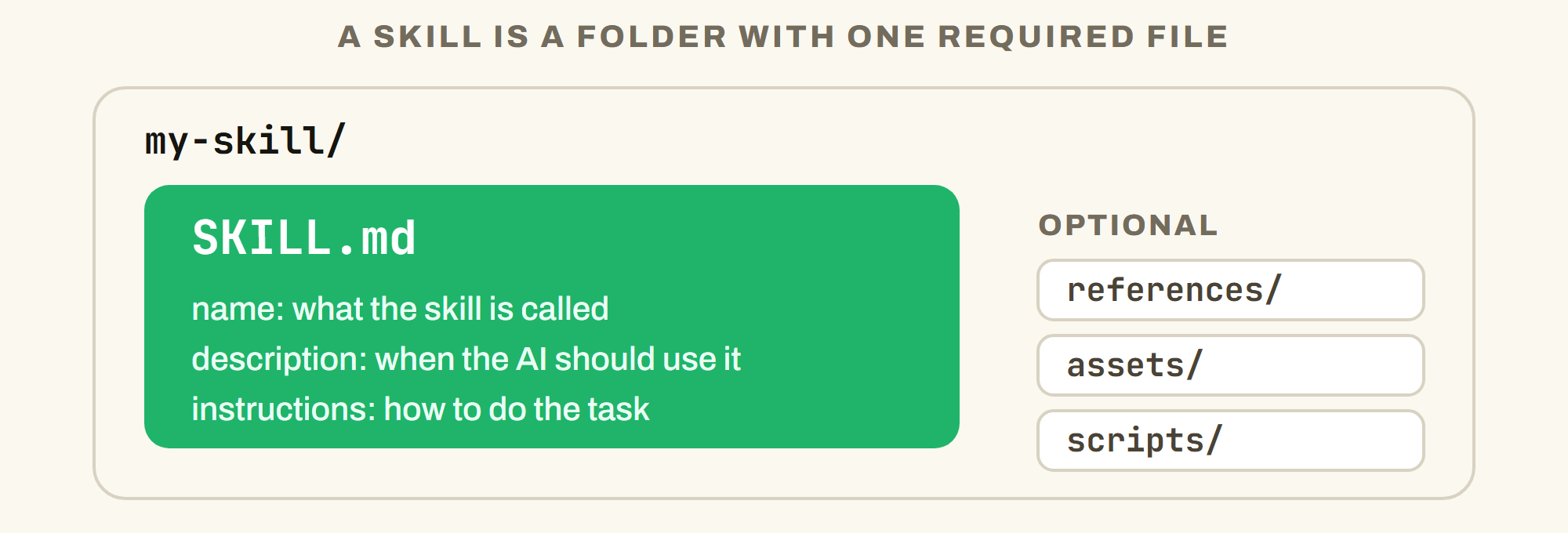
One required file with three parts, plus optional supporting files the AI loads only when it needs them.
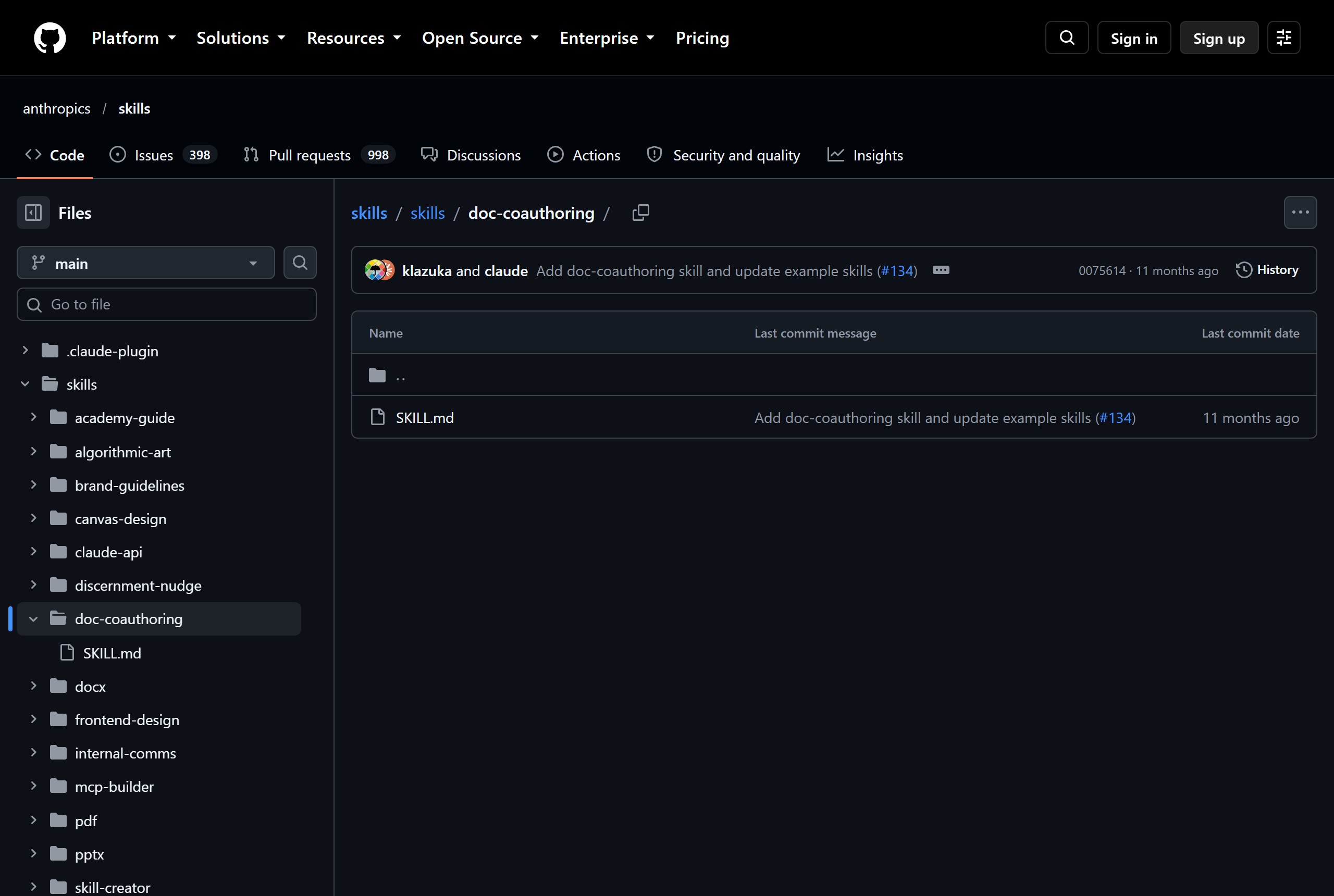
A real one. doc-coauthoring, from Anthropic, is a folder with a single file in it. Source: GitHub, anthropics/skills.
The format is called Agent Skills. It started at Anthropic and became an open standard, which is why a skill made for one tool can often be used in another. A lot of simple, instruction-only skills carry over as they are. Skills that lean on one tool's own features need edits.
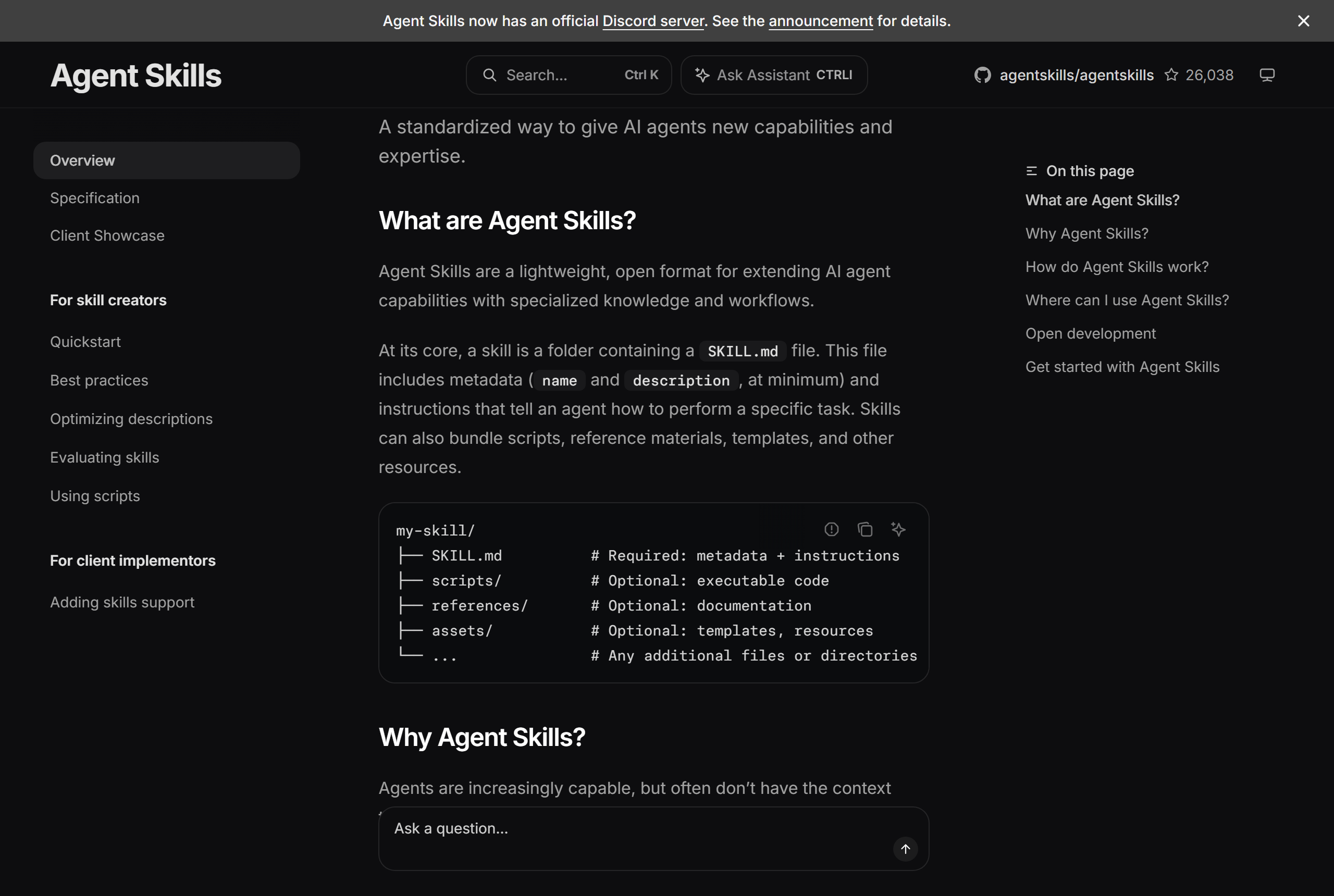
The open format's own page: a skill is a folder containing a SKILL.md file. Source: agentskills.io.
Turn skills on in ChatGPT, Claude, and Gemini
Each tool puts skills in a different place. Pick the one you use.
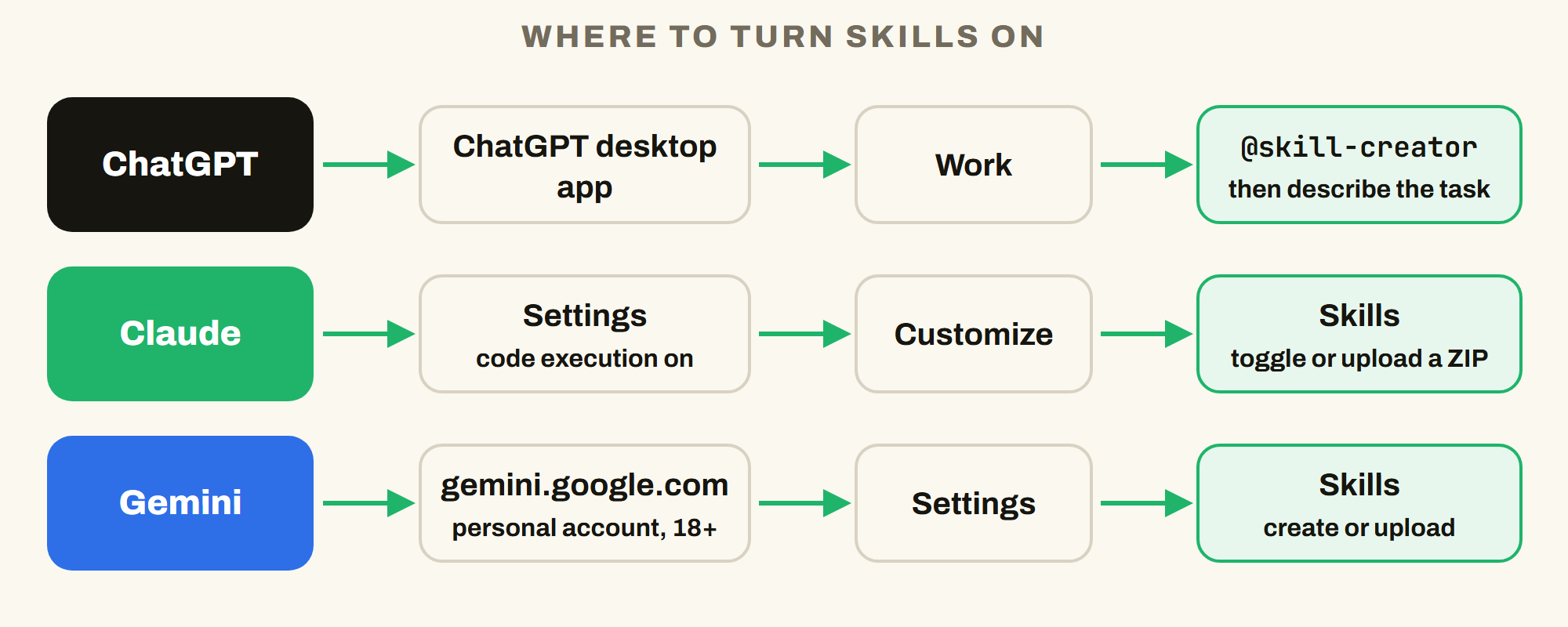
Three tools, three doors. The format behind them is the same.
ChatGPT
Skills in ChatGPT live in the desktop app. Open the app, go to Work, and type @skill-creator, then describe the task. ChatGPT asks follow-up questions and builds the skill with you. Codex, which sits in the same app, can also load a skill folder you place on your computer. The ChatGPT add-ins for Excel and PowerPoint have a Skills option under the plus button too.
If you do not see a Skills tab. In regular ChatGPT chat, OpenAI's help page lists the Skills tab for work plans. For personal plans, OpenAI documents skills in Work, Codex, and the Excel and PowerPoint add-ins. So if that tab is missing, that is expected. OpenAI edits these pages often, so check the pages linked at the end when you set up.
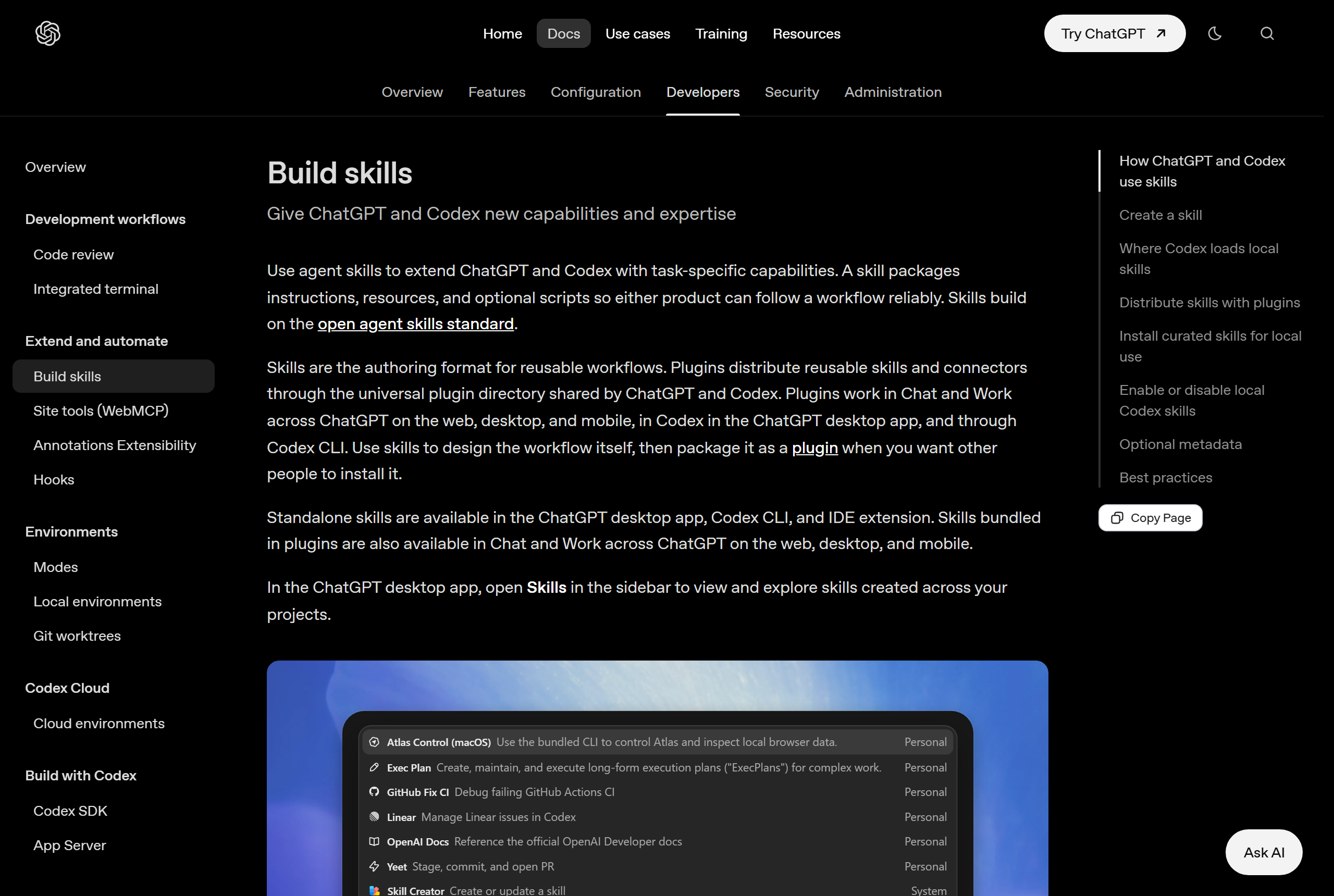
OpenAI's own page: standalone skills are available in the ChatGPT desktop app, and skills bundled in plugins work in Chat and Work. Source: OpenAI, Build skills.
Claude
Go to Settings, then Capabilities, and make sure code execution and file creation is turned on. Then open Customize, then Skills. You will see skills Anthropic provides, including ones for Word, Excel, PowerPoint, and PDFs, and you can turn each one on or off. To add one you downloaded, put the skill folder in a ZIP file and upload it from the same screen. The folder name has to match the skill's name, or the upload fails.
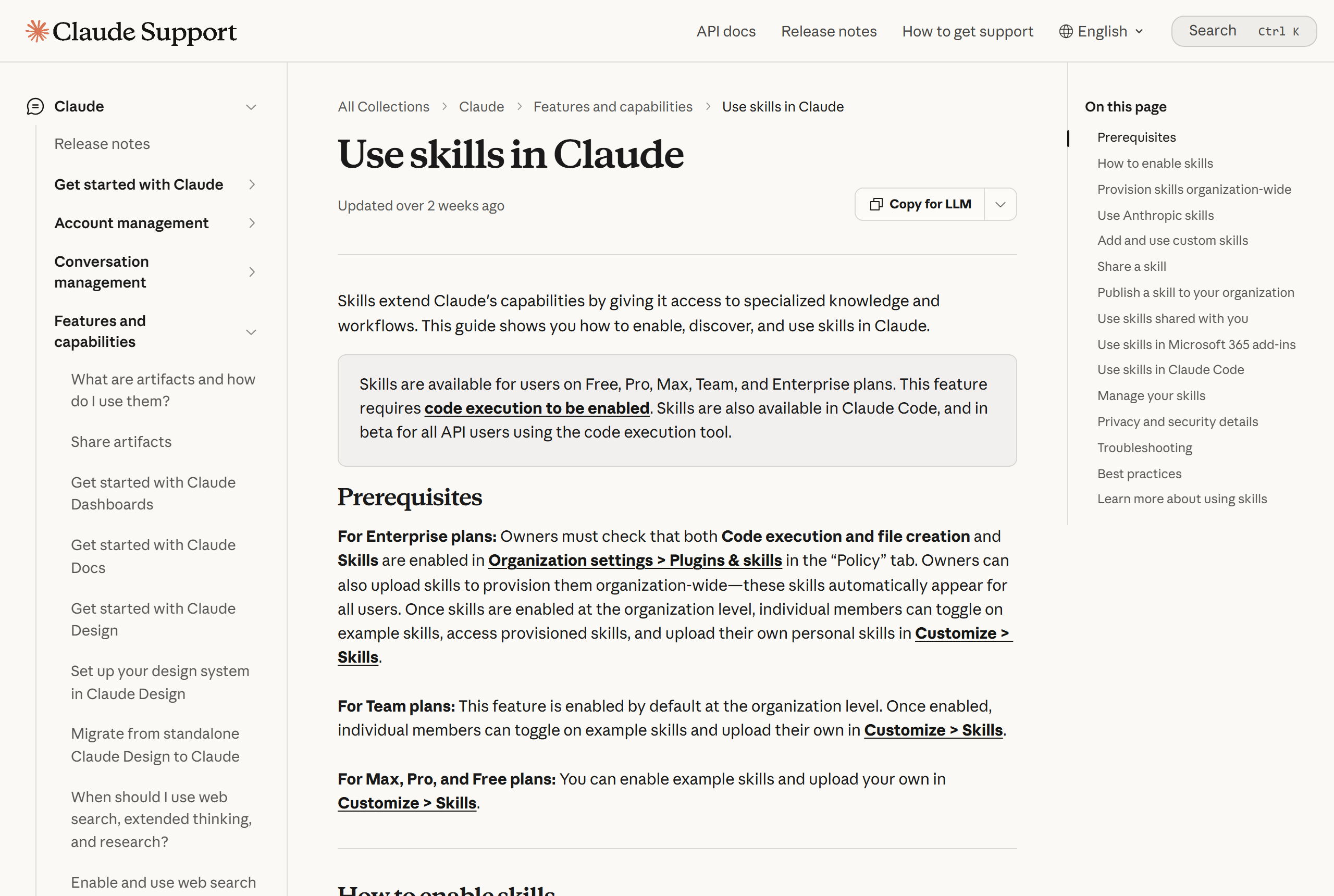
Claude's help page: skills work on Free, Pro, Max, Team, and Enterprise plans and need code execution turned on. Source: Claude Help Center, Use skills in Claude.
Gemini
Go to gemini.google.com, open Settings in the sidebar, and choose Skills. You can make a skill with Gemini's help, start from a template, or upload a skill file or a folder that has a SKILL.md file in it. To use one, type / in any chat and pick the skill. You need a personal Google account, you have to be 18 or older, and Keep Activity has to be on. Google's help page says skills are available without a Google AI subscription. It also says the rollout is gradual, so if you do not see Skills yet, check back.
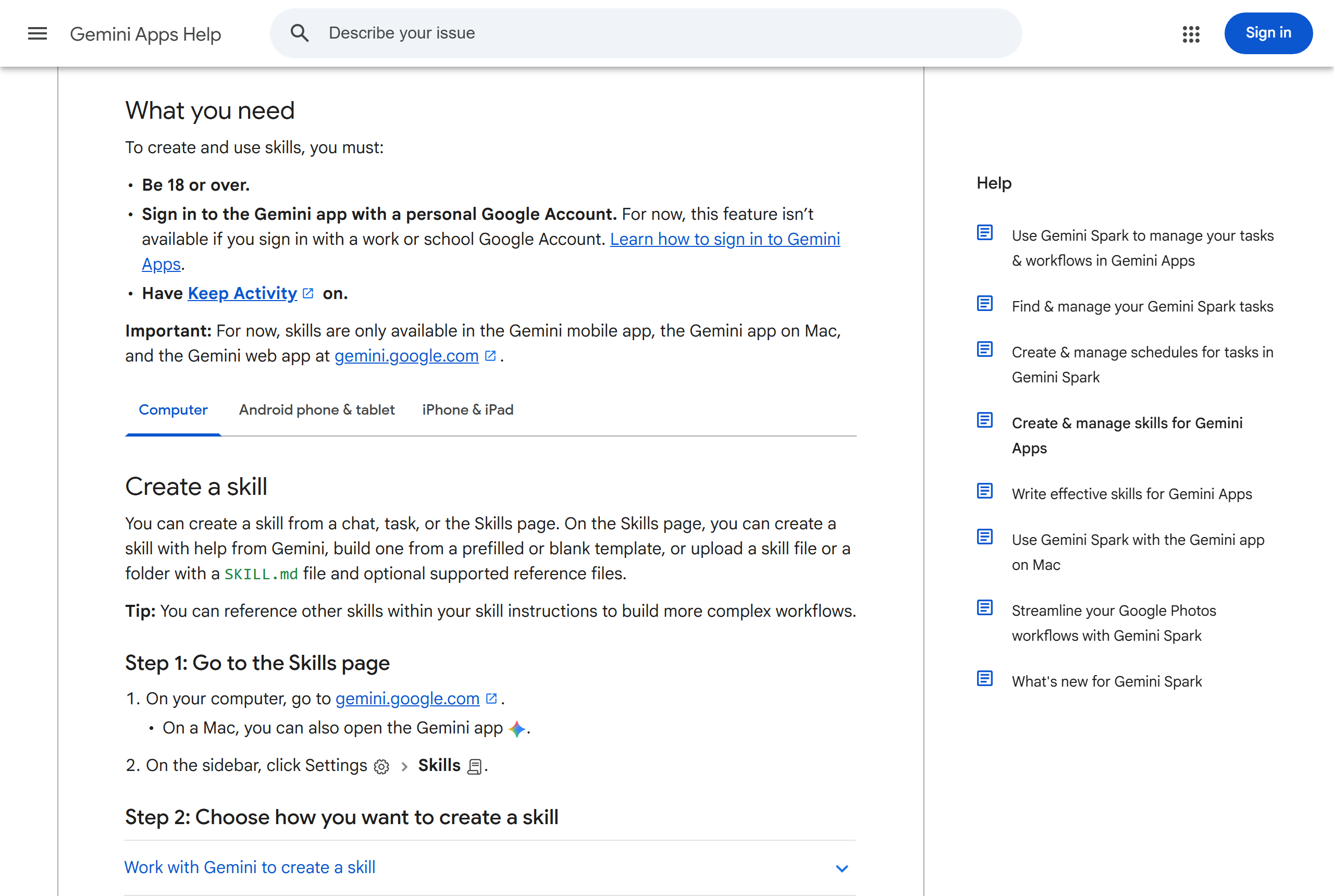
Google's help page: what you need, then Step 1, go to Settings, then Skills. Source: Gemini Apps Help, Create and manage skills.
Upload works on the web and on Mac, not on phones. Gemini wants skill names in lowercase with hyphens, and it accepts text, PDF, and image files inside a skill, not Word or Excel files.
Do some due diligence before you add a skill
A skill is instructions your AI follows, and some skills include code or tell the AI to take actions. That makes a skill from a random GitHub page a bigger decision than it looks. Treat it the way you would treat any file you are about to give access to your work.
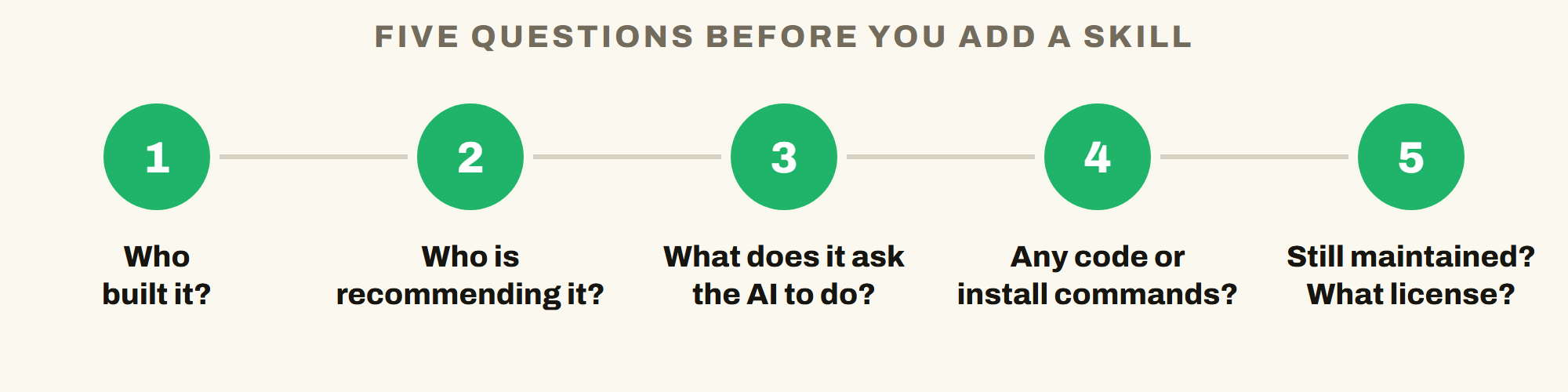
Five questions that take two minutes and catch most problems.
- Who built it? A company, or a person with a track record, is a better sign than an account created last month.
- Who is recommending it? Look for people who have used it, not just a download count.
- What does it ask the AI to do? Open the SKILL.md and read it. Look for instructions to send, delete, share, or connect to anything.
- Does it include code or install commands? A folder with a scripts folder deserves a closer look. Skip anything that tells the AI to download or run something you did not ask for.
- Is it still maintained, and what is the license? An abandoned skill goes stale, and some licenses limit what you can do with it.
How the 50 below were checked: each skill folder was opened and reviewed, and every file in it was searched for scripts, install commands, and network calls. Skills that bundle scripts, tell the AI to install or deploy something, have no license, or had almost no real guidance were left out. The few that need a connected app (Notion, Canva, Gmail) are marked.
Test before you trust. Try every new skill on a throwaway task first and watch what it does. A review is not the same as your own test, and tools change how they read skills.
How to load one you downloaded
- Open the skill's page (each skill below links to its folder) and download that folder. If the page is a whole repository, use Download ZIP and pull out the folder you want.
- Check that the folder name matches the
nameat the top of its SKILL.md file. Rename the folder if it does not. - Zip just that one folder.
- Claude: Customize, then Skills, then the plus button, then upload the ZIP. Gemini: Settings, then Skills, then upload the file, folder, or ZIP.
- ChatGPT is the least simple for downloads. Codex, in the desktop app, loads a skill from a folder named
.agents/skillsin your home folder. If that sounds like too much, ask Work to help you build the skill instead, or load downloaded skills in Claude or Gemini. - Test it on a throwaway task.
The 50
They are grouped by the job they help with. Each name links to the skill's folder. By says who made it. A few need a connected app to be useful, and the By column says which.
50 skills in this guide · 17 different makers · 0 with scripts in the skill folder
Writing and editing (9)
| Skill | What it does | Use it when | By |
|---|---|---|---|
| doc-coauthoring | Walks you through writing a proposal or decision doc, then tests it on a fresh reader. | A document has to be right before others read it. | Anthropic |
| internal-comms | Drafts status reports, newsletters, FAQs, and progress, plans, and problems updates. | You write the same kinds of updates often. | Anthropic |
| copy-editing | Edits and polishes copy you already wrote. | A draft is done but not sharp. | Corey Haines |
| humanizer | Rewrites text that sounds like a chatbot so it reads like a person, without changing the facts. | An AI draft sounds stiff. | blader |
| no-ai-slop | Edits a draft and keeps your voice, or only flags the AI patterns without rewriting. | You want a check, not a rewrite. | Peter Yang |
| written-communication | Coaches you to lead with the conclusion and write short updates for busy readers. | You write to leaders or in async channels. | Lenny (Refound AI) |
| draft-response | Drafts a professional reply to a tricky message, tuned to the relationship. | A hard email or customer message is waiting. | Anthropic plugins |
| stakeholder-update | Writes an update tuned to who is reading it and how often. | Different people need different versions. | Anthropic plugins |
| status-report | Builds a report with the key numbers, risks, and action items. | A weekly or monthly report is due. | Anthropic plugins |
Meetings and email (4)
| Skill | What it does | Use it when | By |
|---|---|---|---|
| summarize-meeting | Turns a transcript into one page: decisions, owners, due dates, and open questions. | You have a transcript or rough notes. | Paweł Huryn |
| meeting-intelligence | Prepares agendas, pre-reads, and decision briefs from your Notion pages, then records the outcomes. | You run meetings out of Notion. | Notion (needs Notion) |
| call-prep | Builds a brief before a meeting: who is in it, what happened before, what to ask. | A meeting with someone starts soon. | Anthropic plugins |
| inbox-triage | Sorts unread email into reply, quick reply, flag, and archive, and drafts replies in your voice. It never sends. | Your inbox is piled up. | Craig Hewitt (needs Gmail) |
Research and knowledge (6)
| Skill | What it does | Use it when | By |
|---|---|---|---|
| synthesize-research | Turns interviews, surveys, and feedback into structured insights. | You have many opinions and need the pattern. | Anthropic plugins |
| customer-research | Pulls themes and customer wording out of interviews, tickets, and reviews. | You want to hear what customers are really saying. | Corey Haines |
| research-documentation | Answers a question from your Notion workspace with cited findings, from a quick answer to a full report. | The answer is somewhere in your notes. | Notion (needs Notion) |
| knowledge-capture | Saves decisions, how-tos, and FAQs from a conversation into Notion without inventing owners or dates. | A chat produced something worth keeping. | Notion (needs Notion) |
| discernment-nudge | After a big answer, adds two or three questions so you check the facts, the logic, and what is missing. | You are about to act on an AI answer. | Anthropic |
| validate-data | Double-checks an analysis, chart, or number before you send it. | A number is going to your boss or a client. | OpenAI (link only) |
Planning and decisions (7)
| Skill | What it does | Use it when | By |
|---|---|---|---|
| grilling | The AI interviews you about a plan, round by round, until nothing is left assumed. | A plan feels done but has not been tested. | Matt Pocock |
| strategy-red-team | Attacks the shaky assumptions in a plan and names the cheapest test for each. | You want the plan challenged. | Paweł Huryn |
| pre-mortem | Imagines the project already failed, sorts the risks, and plans for the blockers. | Before a launch or a big commitment. | Paweł Huryn |
| product-brainstorming | A thinking partner that challenges your assumptions. | You need to think out loud with pushback. | Anthropic plugins |
| write-spec | Turns a vague idea into a clear written plan. | An idea has to become something others can act on. | Anthropic plugins |
| process-doc | Documents a process as a flowchart, a who-does-what chart, or written steps. | A process lives in one person's head. | Anthropic plugins |
| design-kpis | Picks the few numbers that show a project is working, with targets. | You need to measure a project. | OpenAI (link only) |
Presentations and design (5)
| Skill | What it does | Use it when | By |
|---|---|---|---|
| theme-factory | Applies one of ten ready color-and-font themes to slides, documents, or pages. | A deck or document needs a consistent look. | Anthropic |
| brand-review | Checks content against your brand voice and style guide. | Several people write for the same brand. | Anthropic plugins |
| design-feedback | Gives prioritized feedback on a Canva design and never edits it. | You want a second set of eyes on a design. | Canva (needs Canva) |
| resize-for-social-media | Turns one Canva design into Facebook, Instagram, and LinkedIn sizes. | One graphic has to go everywhere. | Canva (needs Canva) |
| slide-deck | Builds a single-file web slide deck from your notes that you can print to PDF. | You need a quick deck from rough notes. | Craig Hewitt |
Image and creative (2)
| Skill | What it does | Use it when | By |
|---|---|---|---|
| image (visual-skills) | Writes ready-to-paste prompts for image tools such as Nano Banana and GPT Image, with edit rules. | You want better image results. | Serge Shima |
| image (marketingskills) | Plans marketing visuals and writes prompts for many image tools. | You need blog, social, or product images. | Corey Haines |
Spreadsheets, data, and money (4)
| Skill | What it does | Use it when | By |
|---|---|---|---|
| formula-detangler | Explains a monster spreadsheet formula in plain sentences and rebuilds it in readable steps. | A formula nobody understands is in your file. | mohitagw15856 |
| budget-variance-analysis | Turns budget versus actual numbers into a table and plain commentary. | Numbers moved and you have to explain why. | mohitagw15856 |
| variance-analysis | Breaks a variance into its drivers with a plain narrative. | You need the why behind a change, in depth. | Anthropic plugins |
| charlie (CFO) | Gives rules of thumb on cash runway, unit economics, and hiring costs for a small business. | You are weighing a money decision. | Every |
People and management (4)
| Skill | What it does | Use it when | By |
|---|---|---|---|
| onboarding | Builds a new-hire checklist and first-week plan. | Someone starts soon. | Anthropic plugins |
| performance-review | Structures a review with a self-assessment, a manager template, and calibration prep. | Review season. | Anthropic plugins |
| interview-kit-builder | Builds an interview kit: skills to test, behavioral questions, and a scorecard. | You are hiring. | w95 |
| giving-feedback | Helps you prepare and deliver feedback with proven frameworks. | A hard conversation is coming. | Lenny (Refound AI) |
Customer work (2)
| Skill | What it does | Use it when | By |
|---|---|---|---|
| ticket-triage | Categorizes, prioritizes, and routes a support ticket. | Requests pile up faster than you can sort them. | Anthropic plugins |
| customer-journey-map | Maps a customer's stages, touchpoints, and pain points. | You want to see the experience from start to finish. | Paweł Huryn |
Learning and teaching (2)
| Skill | What it does | Use it when | By |
|---|---|---|---|
| professional-development-session-designer | Designs a training session for adults: talk under 20 percent, start from what people already do, plan the follow-through. | You teach or train. | Gareth Manning (link only) |
| retrieval-practice-generator | Writes low-stakes recall questions at several levels, with spacing advice. | You want people to remember what you taught. | Gareth Manning (link only) |
Career and personal (5)
| Skill | What it does | Use it when | By |
|---|---|---|---|
| interview-prep-generator | Builds STAR stories and likely questions from your resume and the job posting. | An interview is coming. | Paramchoudhary |
| offer-comparison-analyzer | Compares job offers side by side with a weighted grid. | You have more than one offer. | Paramchoudhary |
| linkedin-profile-optimizer | Rewrites a LinkedIn profile section by section. | Your profile is out of date. | Paramchoudhary |
| building-a-promotion-case | Lists your impact and scripts the conversation with your manager. | You want to ask for a promotion. | Lenny (Refound AI) |
| time-energy-management | Audits where your time goes and drafts polite ways to say no. | Your calendar runs you. | Lenny (Refound AI) |
A few things to know
- charlie (CFO) states benchmarks, like ratios and months of runway, without sources. Treat them as rules of thumb, and none of it is financial advice.
- linkedin-profile-optimizer quotes figures about profile views without sources. Treat them as claims.
- performance-review, interview-kit-builder, and giving-feedback touch sensitive people topics. They are not legal advice.
- validate-data and design-kpis are part of the Data plugin from OpenAI and can hand work to sibling skills that do bundle scripts. Ask them to stay in chat.
- image (marketingskills) shows command-line examples in an optional section. It does not run them.
- inbox-triage reads a sample of your sent and received email to learn your voice. It saves drafts and never sends.
- image (visual-skills) keeps its real rules in reference files, so zip the whole folder, not just SKILL.md.
- The Notion and Canva skills need those apps connected. Rename the folder to match the skill name before you upload, for example notion-meeting-intelligence.
- Link only means the license asks you to link to the skill, not copy it into your own materials. Serge Shima's image skill needs a credit if you share it.
- professional-development-session-designer was written for school teachers. The rules about adult learning carry over to trainers.
Skills left out, and why
The list is shorter than the internet's. These kinds of skills did not make it.
- Skills that bundle a local server or tell the AI to run installs or deploy something publicly.
- Skills with no license, because there is no clear right to share them.
- Skills with hundreds of bundled code files, and skills built for developers.
- A popular product-management pack whose license is non-commercial.
- Two skills from a big community list that were thin or unfinished.
- Novelty skills.
Make your own
The easiest way is to do the task once, have the AI do a great job, and then ask it to turn the work into a skill.
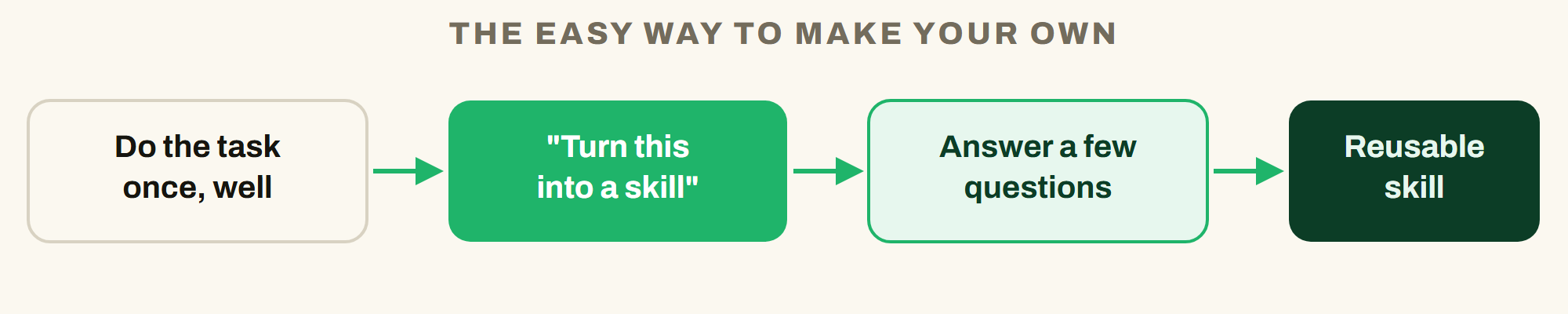
Do the work once, then let the AI package it.
- ChatGPT: in Work, type
@skill-creatorand describe the task. - Claude: say you want a skill that knows how to do the task, and upload any example you want it to follow.
- Gemini: in a chat, say
Create a skill based on these instructions:and paste them, or build one from the Skills page.
Turn what we just did into a skill. Before you write it, ask me a few questions about when I would use it and what a good result looks like. Then write it so I can keep it.
Add one real example of a great result. One example teaches more than a paragraph of description.
Sources and where to learn more
- Claude Help Center: Use skills in Claude
- Claude Help Center: What are skills
- OpenAI Help Center: Skills in ChatGPT
- OpenAI: Build skills (ChatGPT and Codex)
- OpenAI Help Center: Plugins in ChatGPT and Codex
- Gemini Apps Help: Create and manage skills for Gemini Apps
- Agent Skills open format
- Anthropic skills repository
- Anthropic knowledge-work plugins repository
- Corey Haines marketing skills repository
Built by Hank Barker // AI Essentials // @hankhelpsai. Current as of October 11, 2026. Skills, plans, and menus change often, so check the linked pages when you set up.
Keep a copy of the guide
Download the PDF to keep the steps and prompts handy while you work.
Put this to work with your team
I’m Hank Barker, founder of PriorAIty. I help Michigan teams build useful AI habits through hands-on training and adoption consulting, with in-person and virtual options.
Keep going
- Use ChatGPT, Claude or Copilot inside Excel
Open a copy of a workbook, ask the AI to explain its structure, then give it one specific change. Once you can check that change, move on to a summary, PivotTable or chart. This guide covers the three setup routes and gives you a small workbook with answers you can verify yourself.
- Make your AI designs and writing match your brand
Give an AI your real logo, a few designs you like and examples of your writing. Have it identify the choices already present, ask about the choices that are missing, and turn your answers into a brand sheet plus instructions you can reuse. The example here is a fictional workshop business. The screenshots show the actual source review, interview and resulting files.
- Get started with ChatGPT Work
Give Work a concrete assignment, inspect the file it produces, and refine it in the same conversation. This walkthrough starts with a small set of fictional workshop facts and ends with an editable Word checklist. It also shows a real first-draft mistake and the correction that fixed it.
Weekly AI guide
The Weekly AI Guide
One genuinely useful AI use case a week, whatever news matters, and what I've got coming up: free sessions, new guides, upcoming trainings.