
Practical AI · 5 min read
Turn your expertise into training people can use
By Hank BarkerPublished
Have the AI interview you before it writes the training. Your experience supplies the judgment: what people need to do, where they make mistakes, and what good performance looks like. The AI can organize that into examples, practice and a useful check of understanding.
Have the AI interview you before it writes the training. Your experience supplies the judgment: what people need to do, where they make mistakes, and what good performance looks like. The AI can organize that into examples, practice and a useful check of understanding.
This example creates a 15-minute induction for a fictional workshop's front-desk host. It starts with an interview, narrows an overly broad role, and produces a training file with an activity and answer key.
1. Name the performance you want
“Train new staff about our workshop” could become a long document full of facts. A more useful goal is: “A new host can answer attendee questions using the current facts and recognize when they need to ask the organizer.” That gives you something observable to teach and assess.
Choose one role and one practical outcome for the first module. If the job includes several different skills, build separate modules. A host answering a price question and an instructor teaching a physical technique need different training and different evidence of readiness.
2. Ask the AI to interview you
Give it your current source documents, then ask questions before drafting:
Help me turn my workshop expertise into a short staff training. Start by interviewing me: ask five specific questions about what a new instructor must be able to do, common mistakes, what good performance looks like, and how to check their understanding. Do not write the training until I answer. Use workshop-facts.txt for event facts, but do not invent woodworking procedures or safety instructions.
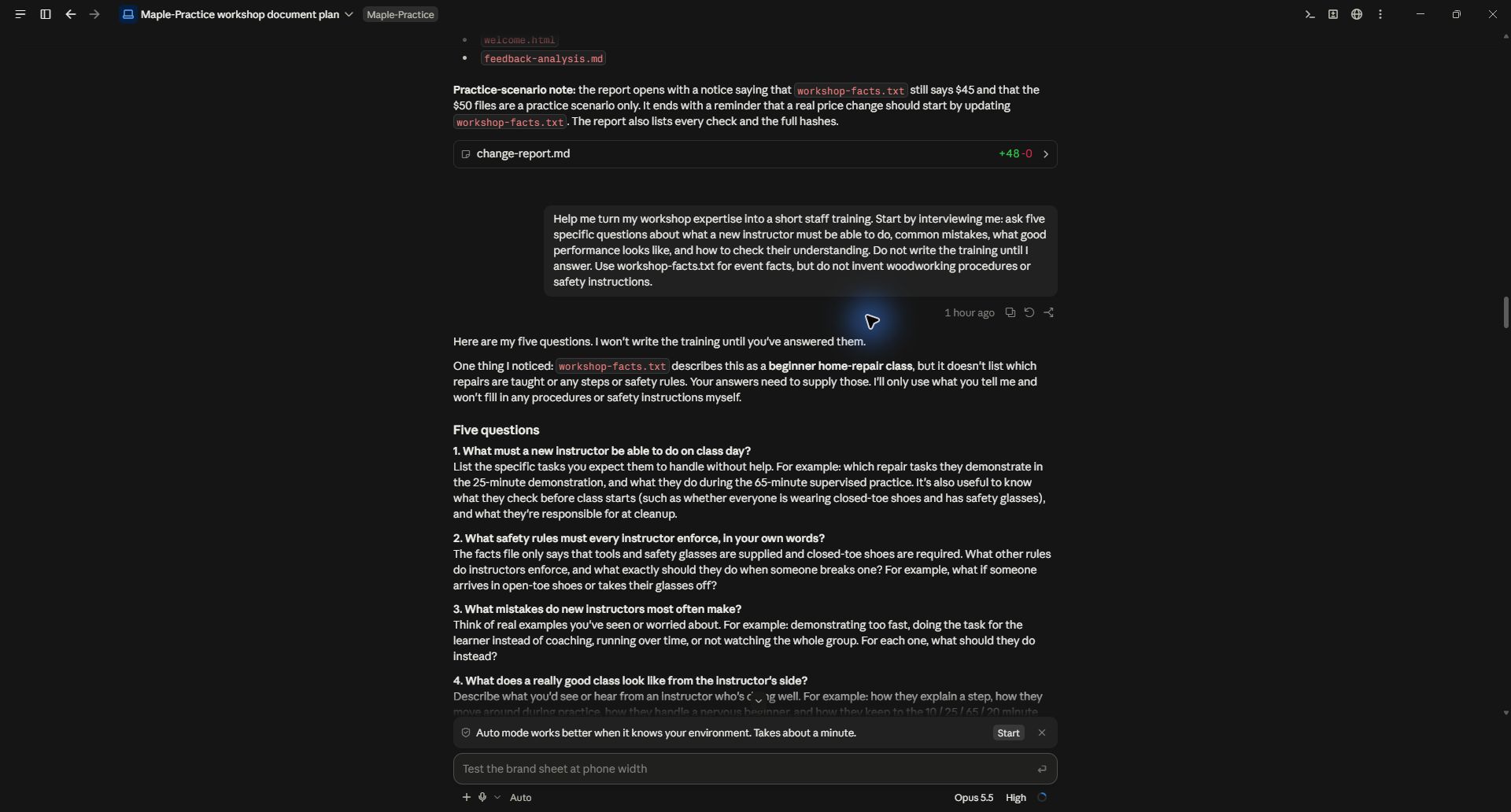
The first request used “instructor.” That turned out to be too broad for this short example.
Claude asked about tasks, rules, common mistakes, strong performance and readiness. Those questions exposed a scope problem: we did not have enough expertise in the source to teach workshop instruction. We narrowed the module to the front-desk host instead of letting the AI fill the gap.
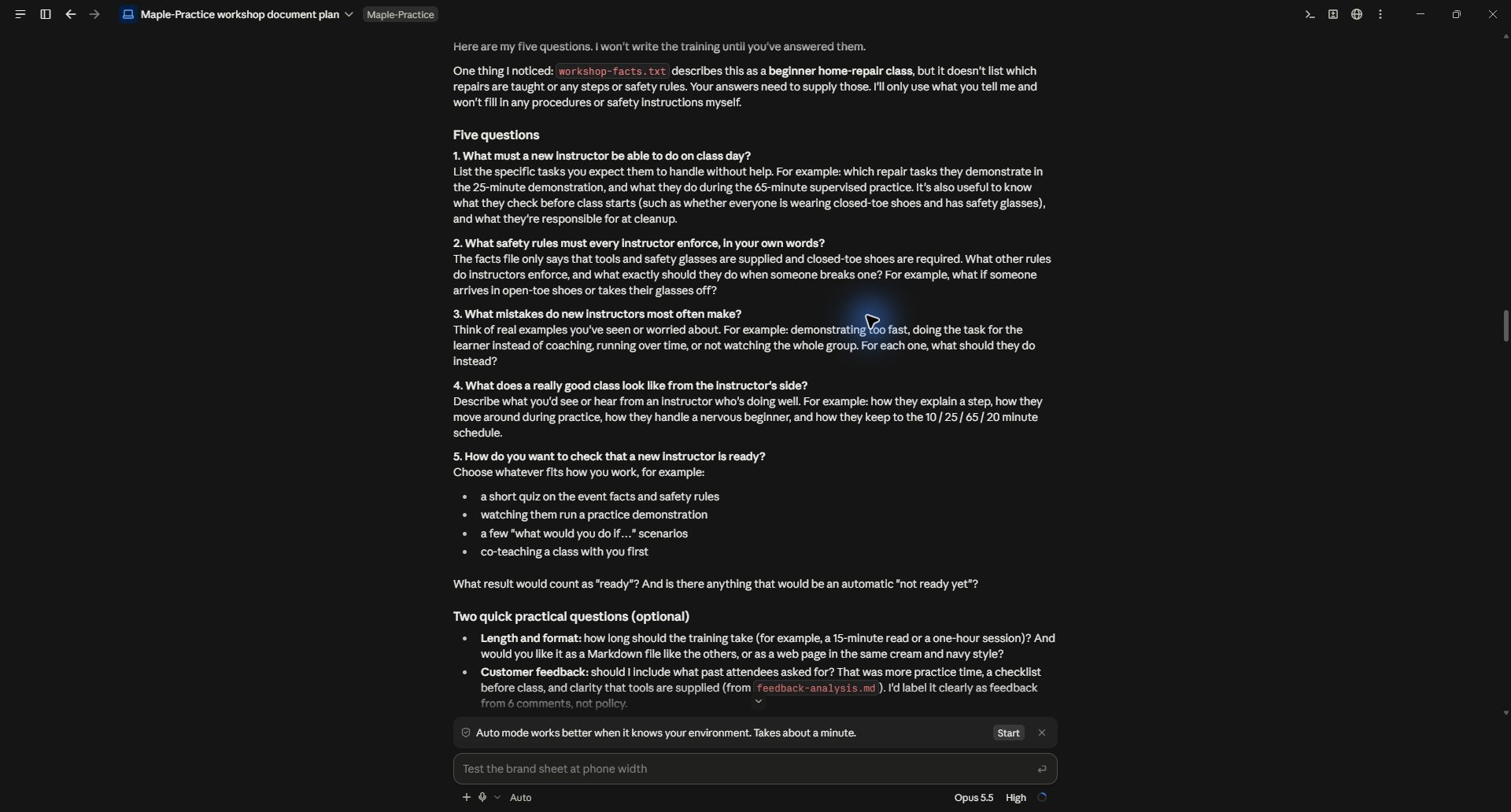
3. Answer with situations and decisions
You do not need polished prose. Give concrete examples in your own words. For this demonstration, the answers said that hosts should explain the date, price, supplied equipment and schedule; recognize missing address, parking and booking information; and refer unknown questions to the organizer.
The common mistakes were specific: guessing an address, saying attendees must buy safety glasses, and quoting the old 30-minute practice schedule. Good performance meant using the current facts, speaking calmly and acknowledging missing information.
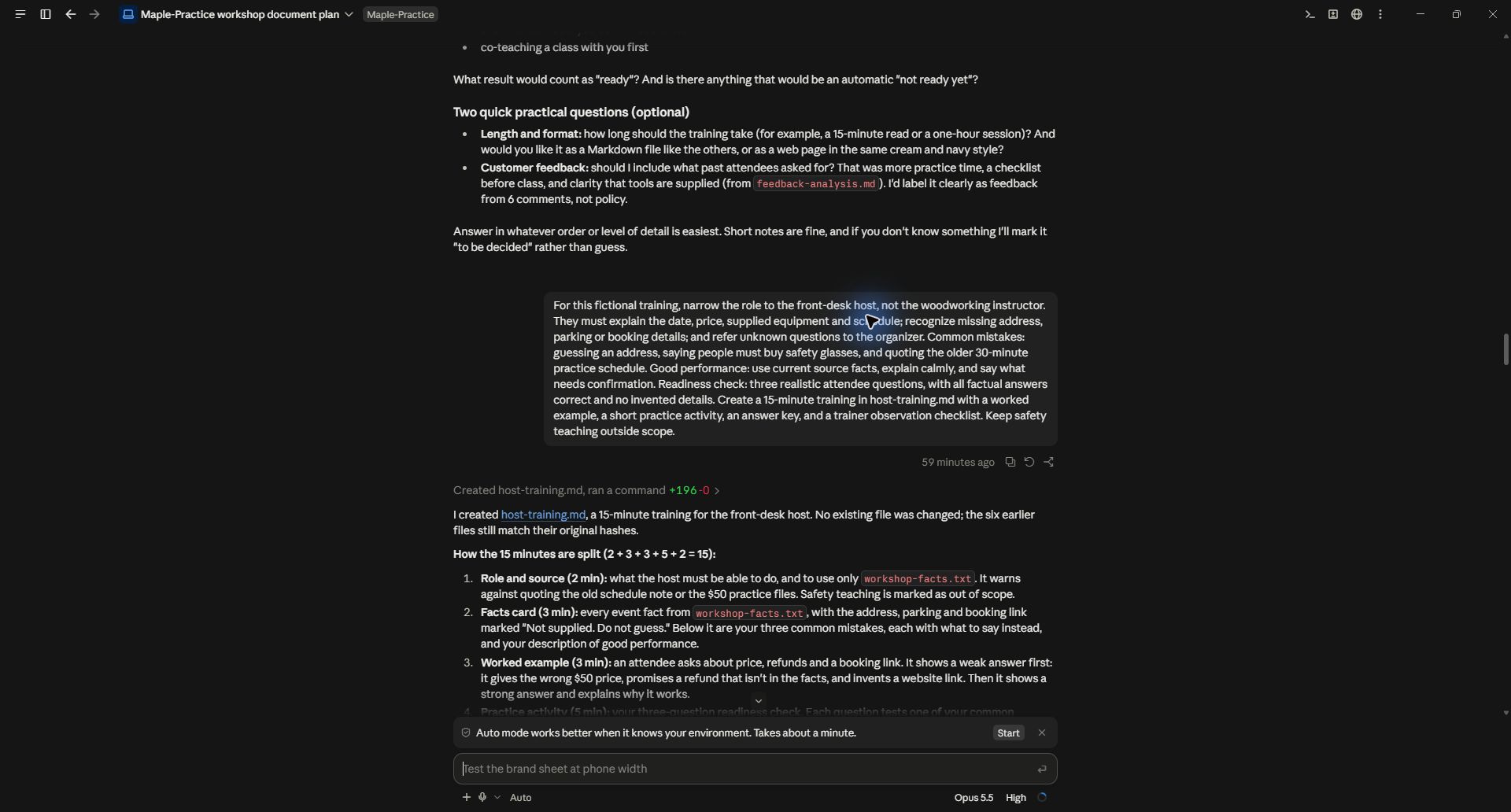
For your own training, include an example of a weak response and explain exactly why it fails. Then describe what a competent person would do instead. Ask the AI to follow up on any vague phrase such as “use good judgment” or “handle it professionally.” Those phrases need examples before they can be taught.
4. Turn the answers into a teachable sequence
Create a 15-minute training with a worked example, a short practice activity, an answer key, and a trainer observation checklist. Keep safety teaching outside scope. The readiness check should use three realistic attendee questions, with all factual answers correct and no invented details.
The actual output divided the time into role and source, facts card, worked example, practice, and feedback. The five sections total 15 minutes. That is a planned duration; run it with a person before claiming it reliably takes that long.
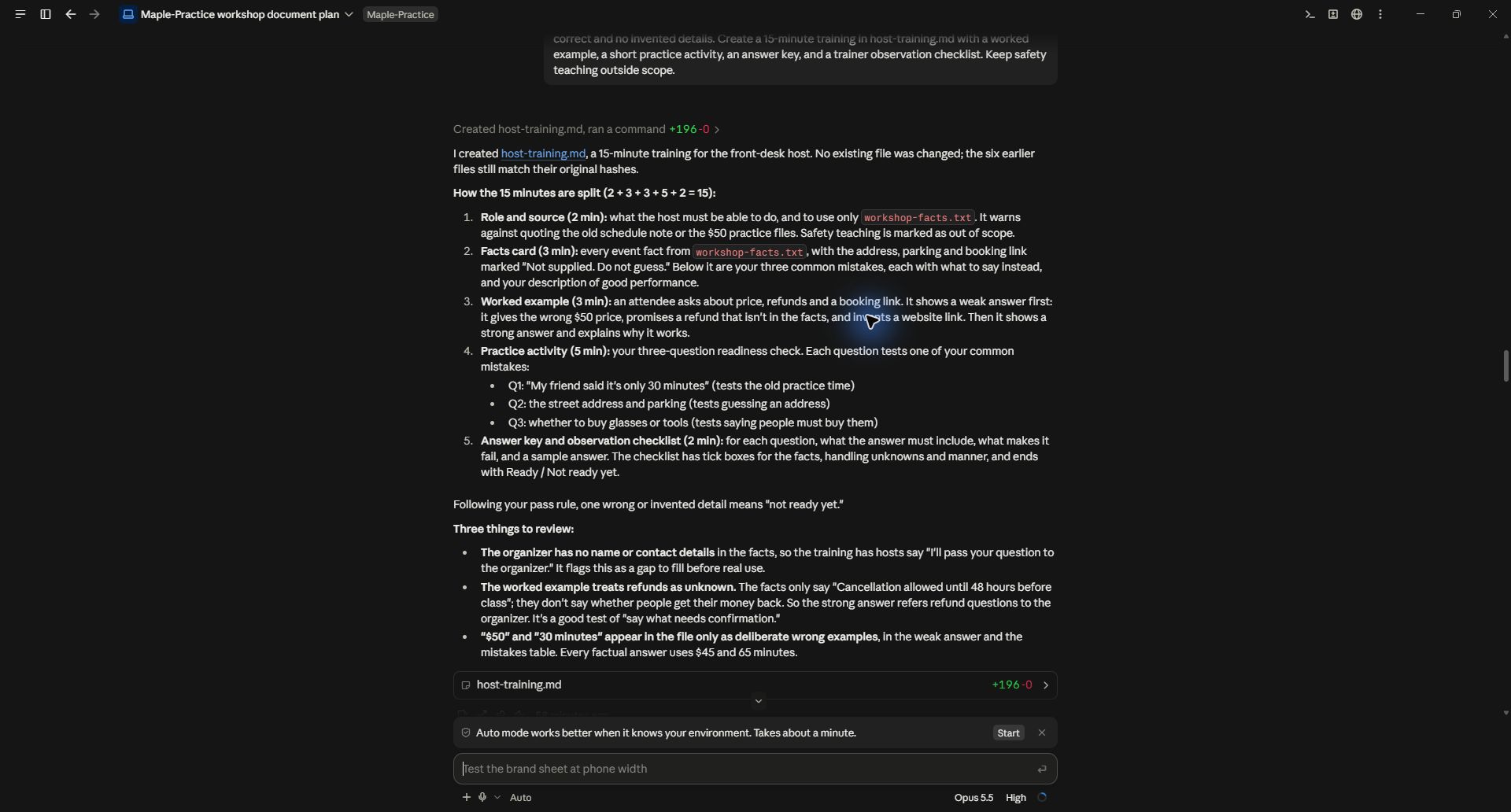
The training's weak example intentionally used the wrong price and an invented booking link. The strong example corrected the price and acknowledged the missing link. Label weak examples clearly so nobody mistakes them for approved wording.
5. Check whether the activity tests the goal
The three practice questions cover the exact mistakes: old practice time, missing address and parking, and whether to buy equipment. A learner has to answer a realistic question, not merely repeat a definition.
Read the answer key against the original facts. In our example, cancellation notice is supplied but a refund policy is not. The AI correctly kept refunds as an unknown rather than promising money back. That distinction belongs in both the worked example and the trainer's review.
Ask for criteria that a trainer can observe: correct facts, no invented details, clear explanation, and the right escalation when information is missing. Avoid vague scores such as “professionalism: 8/10” without a definition.
6. Pilot, revise and maintain the training
Have one person try the activity without reading the answer key. Note where they hesitate, misinterpret a question, or cannot find the source. Give those observations to the AI and ask for a focused revision. Keep the lesson goal and approved facts stable while improving the explanation.
Save the editable training, current source facts, answer key and review date together. If the price or policy changes, update both the teaching example and the answer key. A polished training file with an outdated answer key is still wrong.
The demonstration also uncovered a missing organizer name and contact route. Fill that before using the training with real staff. “Ask the organizer” is only actionable when people know who that is and how to reach them.
Practice file and demonstrated scope
Download the actual host training and its source facts. The screenshots show the real interview and creation process in Claude Code on September 28, 2026. This is fictional front-desk training, not a tested safety curriculum or evidence of learner performance.
Keep a copy of the guide
Download the PDF to keep the steps and prompts handy while you work.
Put this to work with your team
I’m Hank Barker, founder of PriorAIty. I help Michigan teams build useful AI habits through hands-on training and adoption consulting, with in-person and virtual options.
Keep going
- Use ChatGPT, Claude or Copilot inside Excel
Open a copy of a workbook, ask the AI to explain its structure, then give it one specific change. Once you can check that change, move on to a summary, PivotTable or chart. This guide covers the three setup routes and gives you a small workbook with answers you can verify yourself.
- Make your AI designs and writing match your brand
Give an AI your real logo, a few designs you like and examples of your writing. Have it identify the choices already present, ask about the choices that are missing, and turn your answers into a brand sheet plus instructions you can reuse. The example here is a fictional workshop business. The screenshots show the actual source review, interview and resulting files.
- Get started with ChatGPT Work
Give Work a concrete assignment, inspect the file it produces, and refine it in the same conversation. This walkthrough starts with a small set of fictional workshop facts and ends with an editable Word checklist. It also shows a real first-draft mistake and the correction that fixed it.
Weekly AI guide
The Weekly AI Guide
One genuinely useful AI use case a week, whatever news matters, and what I've got coming up: free sessions, new guides, upcoming trainings.