
Practical AI · 6 min read
Research content ideas with AI
By Hank BarkerPublished
Use AI to study what creators are teaching, find questions your audience is asking, and check recent news. Bring those three routes into one shortlist, then select the ideas you can teach from your own experience before asking for scripts.
Use AI to study what creators are teaching, find questions your audience is asking, and check recent news. Bring those three routes into one shortlist, then select the ideas you can teach from your own experience before asking for scripts.
This walkthrough uses ChatGPT Work to research practical AI video ideas for nontechnical small-business owners. It also shows a source correction: a creator's landing page suggested a useful topic, but did not reveal the full method it advertised.
1. Define the audience and the kind of value you want
Tell the AI who the content is for and what a viewer should be able to do afterward. “AI content ideas” invites broad, repetitive suggestions. “Practical walkthroughs for nontechnical small-business owners, each ending with a usable result” creates a better filter.
Add the topics you already cover, your experience and anything you do not want. If you want variations on proven subjects, name those subjects. Video editing can become editing a talking-head lesson, adding supporting visuals, or adapting a long explanation for a shorter format. Each variation should change the actual demonstration, not merely the title.
2. Research three routes together
The demonstrated prompt asked for six ideas in one table using creator examples, public forum questions and official product news. It required a source link, a teachable outcome, a statement of what the evidence supports and an example we could demonstrate ourselves.
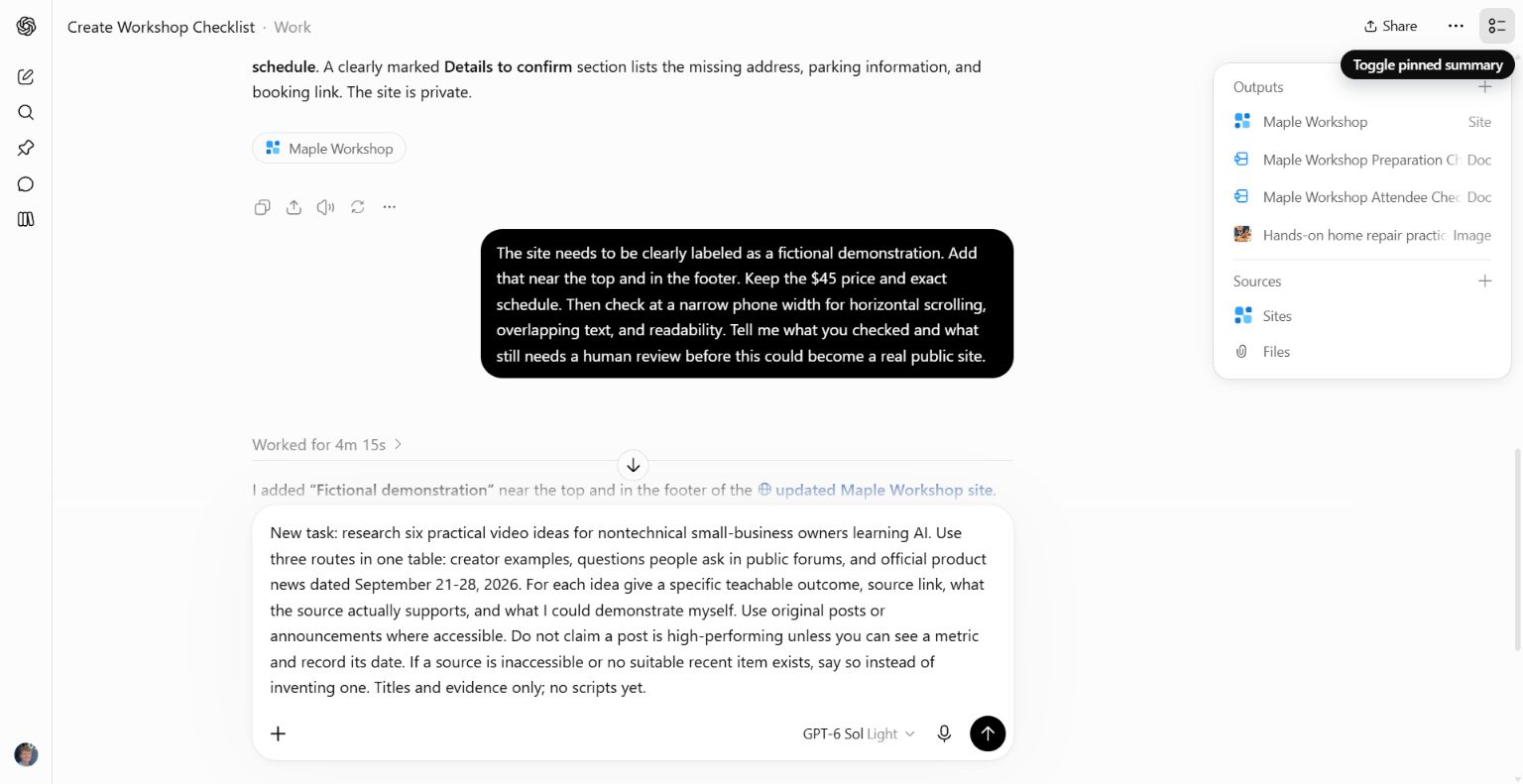
Research six practical video ideas for [audience]. Use three routes in one table: creator examples, questions people ask in public forums, and official product news dated [start] to [end]. For each idea give a specific teachable outcome, source link, what the source supports, and what I could demonstrate myself. Use original posts or announcements where accessible. Do not claim a post is high-performing unless you can see a metric and record its date. If a source is inaccessible, say so. Titles and evidence only; no scripts yet.
Use a tool with current web access for this task. If it cannot browse, give it the source links or excerpts you have collected and ask it to work within that material. Do not mistake remembered examples for a current scan of your niche.
3. Study creators for subjects and teaching choices
Look at the specific problem a creator addresses, the result they show, the amount of detail and the questions their audience raises. Ask the AI to identify those features separately from engagement metrics.
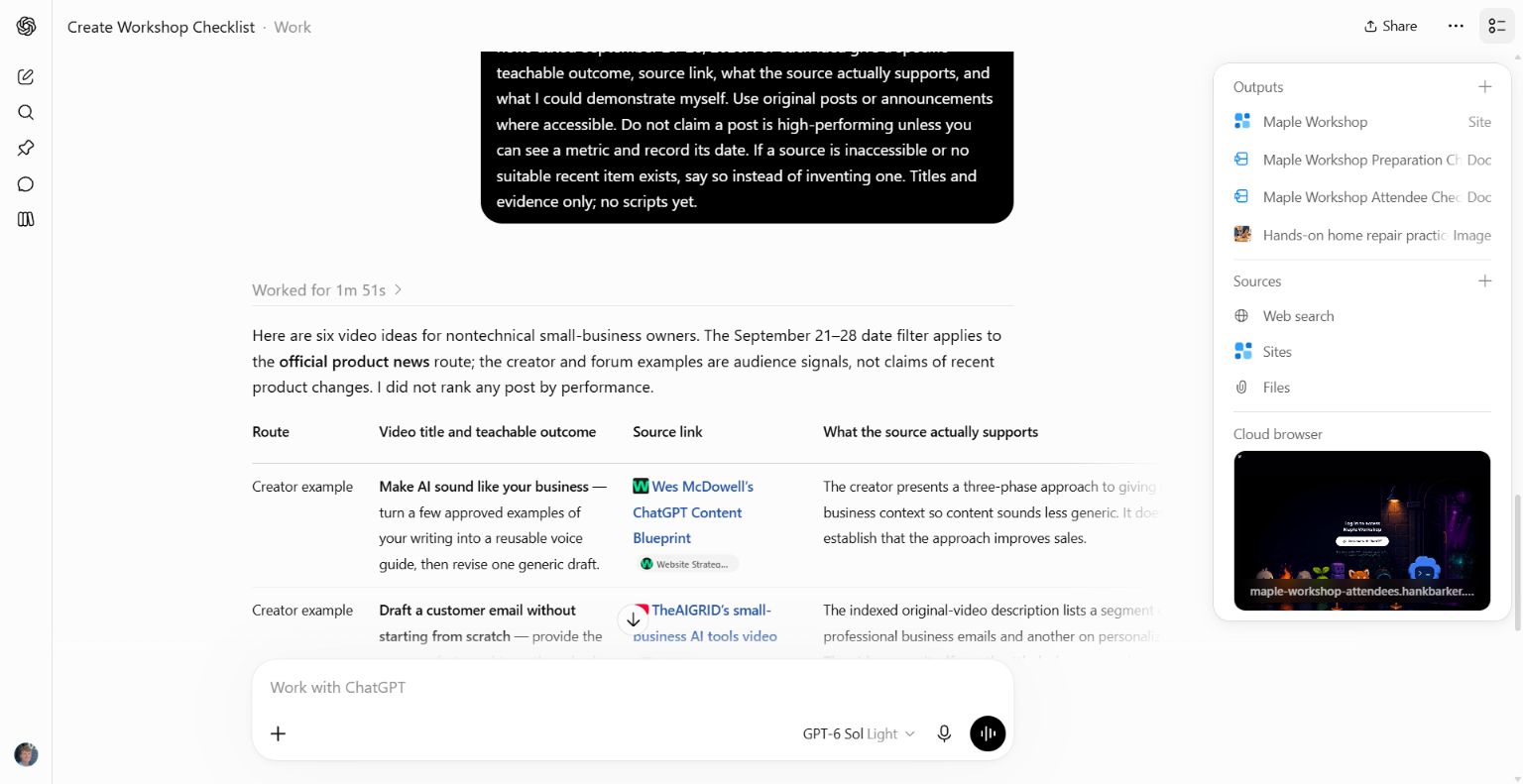
In this run, Wes McDowell's blueprint page advertised a way to make ChatGPT writing less generic. That supports “writing that sounds like your business” as a topic lead. The page did not expose the complete method, so it could not verify the steps of that method.
Another suggested creator video could not be opened fully. Its indexed description was a lead, not proof that the AI watched the demonstration. Keep those access limits in the research table. If you want to adapt a teaching approach, inspect the original yourself or supply an accessible transcript and relevant frames.
You are looking for useful problems and presentation choices, then adding your own explanation and demonstration. A popular creator's subject is not a script to copy.
4. Find the questions behind potential topics
Ask the AI to examine public comments, forums and search results for confusion, disagreement and repeated requests. Save the original question and its link beside each proposed topic.
One real source in the demonstration was a small-business discussion asking what people use AI for. It shows a question worth answering. Its replies are anecdotes, not measured proof of savings or a representative survey of business owners.
Turn a broad question into a concrete demonstration. “What can AI do for my business?” might become “Use your current customer questions to draft a clearer FAQ.” Then show the actual inputs, draft, correction and finished result. The specificity comes from your teaching choice, not from pretending the thread proved a universal conclusion.
5. Treat news as a dated source-checking task
For news ideas, supply a date range and ask for the original announcement. Record both the announcement date and any rollout limits. Ask what changed for the intended viewer, what they can try and what remains unavailable in their setup.
The demonstration used September 21–28, 2026. It found official release-note leads, including ChatGPT's release notes. The important reusable step is to open the dated entry and verify the claim before filming. A current search result can point to an old announcement, and an updated help page is not necessarily a new launch.
Do not fill an empty news slot with a weak story just because you requested six ideas. Ask the AI to say when no relevant item meets the criteria. Evergreen how-tos can remain useful while a news topic expires quickly.
6. Correct the research and select a direction
We explicitly corrected the creator evidence: the blueprint page was a landing page, and the inaccessible video remained unverified. We then selected the writing-voice idea and requested variations for work documents, social captions and customer replies.
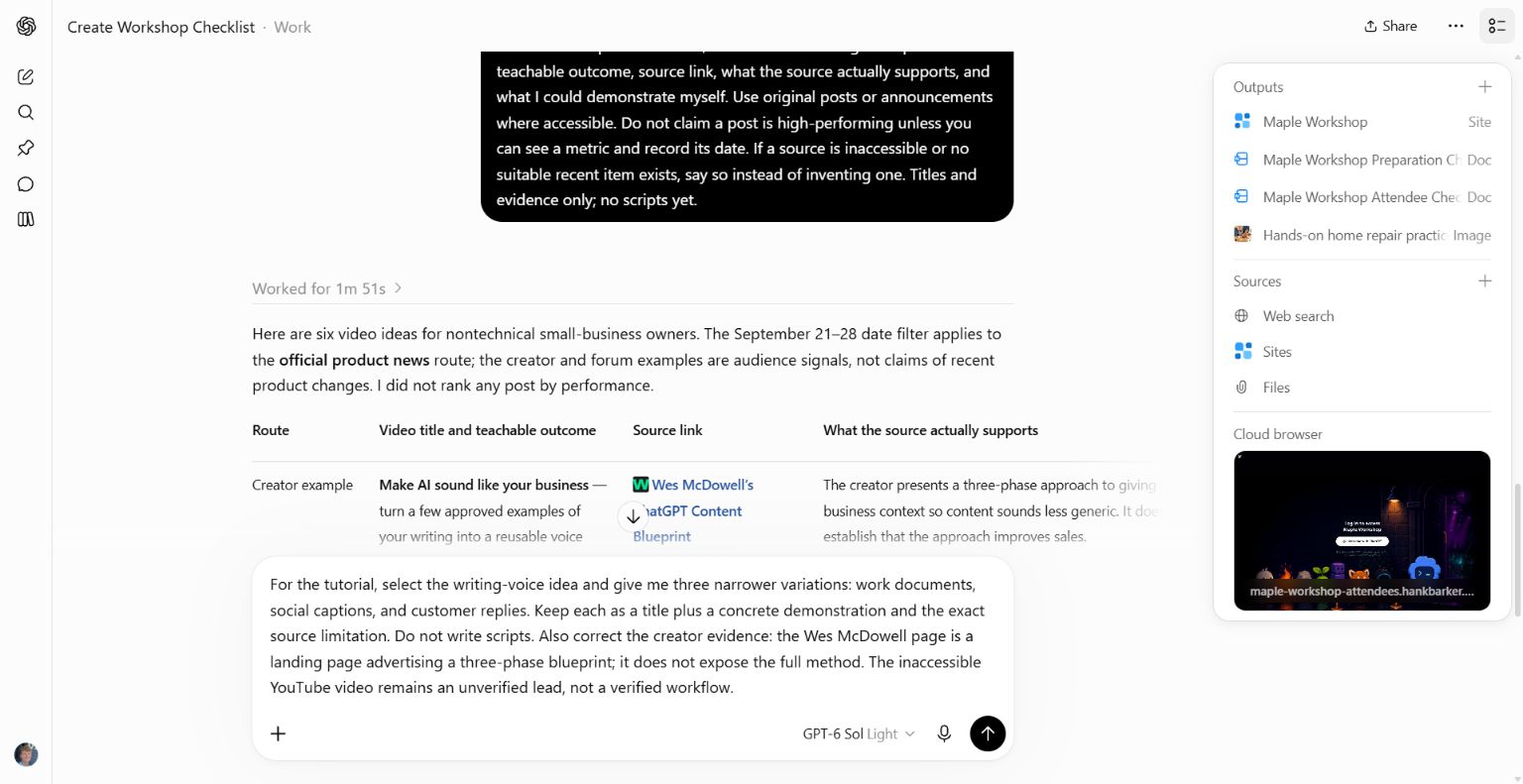
This is the step that makes future batches more relevant. Explain what you liked about the selected idea: the broad usefulness, the concrete output, the ease of demonstration or the problem it solves. Explain why rejected ideas miss the mark. Ask for variations around those useful qualities.
I like the writing-voice topic because I can show an obvious before and after. Give me three variations for different tasks. Each needs a distinct example and a clear result. Keep the source limitations visible. Do not write scripts yet.
7. Test the demonstration before scripting claims
Run the workflow you intend to teach. Capture the input, important settings, output and correction. If it does not work in your account, change the idea or explain the actual limitation. A source saying a feature exists does not establish that your proposed demonstration works.
Once you choose the topic and angle, write the script around the tested sequence. Keep a source record with the idea so future updates can be checked. For a guide, expand the same workflow with setup, prompts, screenshots, troubleshooting and practice files.
Demonstrated scope
This was a real research and refinement task in ChatGPT Work on September 28, 2026. It produced source-linked leads and acknowledged access limitations. It did not establish which ideas would perform best, and the initial source descriptions required review. The screenshots show that review process rather than a fabricated research dashboard.
Keep a copy of the guide
Download the PDF to keep the steps and prompts handy while you work.
Put this to work with your team
I’m Hank Barker, founder of PriorAIty. I help Michigan teams build useful AI habits through hands-on training and adoption consulting, with in-person and virtual options.
Keep going
- Use ChatGPT, Claude or Copilot inside Excel
Open a copy of a workbook, ask the AI to explain its structure, then give it one specific change. Once you can check that change, move on to a summary, PivotTable or chart. This guide covers the three setup routes and gives you a small workbook with answers you can verify yourself.
- Make your AI designs and writing match your brand
Give an AI your real logo, a few designs you like and examples of your writing. Have it identify the choices already present, ask about the choices that are missing, and turn your answers into a brand sheet plus instructions you can reuse. The example here is a fictional workshop business. The screenshots show the actual source review, interview and resulting files.
- Get started with ChatGPT Work
Give Work a concrete assignment, inspect the file it produces, and refine it in the same conversation. This walkthrough starts with a small set of fictional workshop facts and ends with an editable Word checklist. It also shows a real first-draft mistake and the correction that fixed it.
Weekly AI guide
The Weekly AI Guide
One genuinely useful AI use case a week, whatever news matters, and what I've got coming up: free sessions, new guides, upcoming trainings.